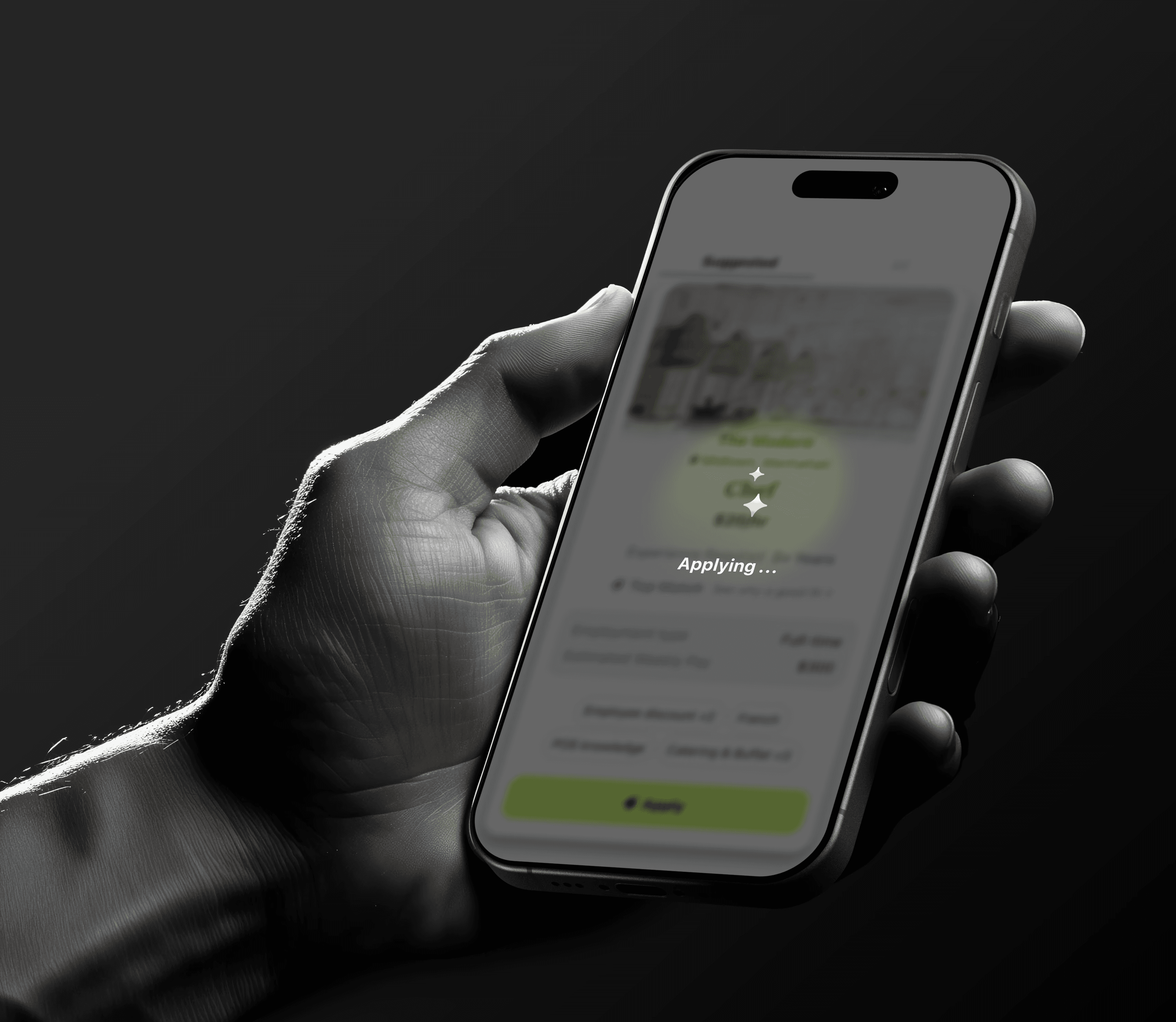
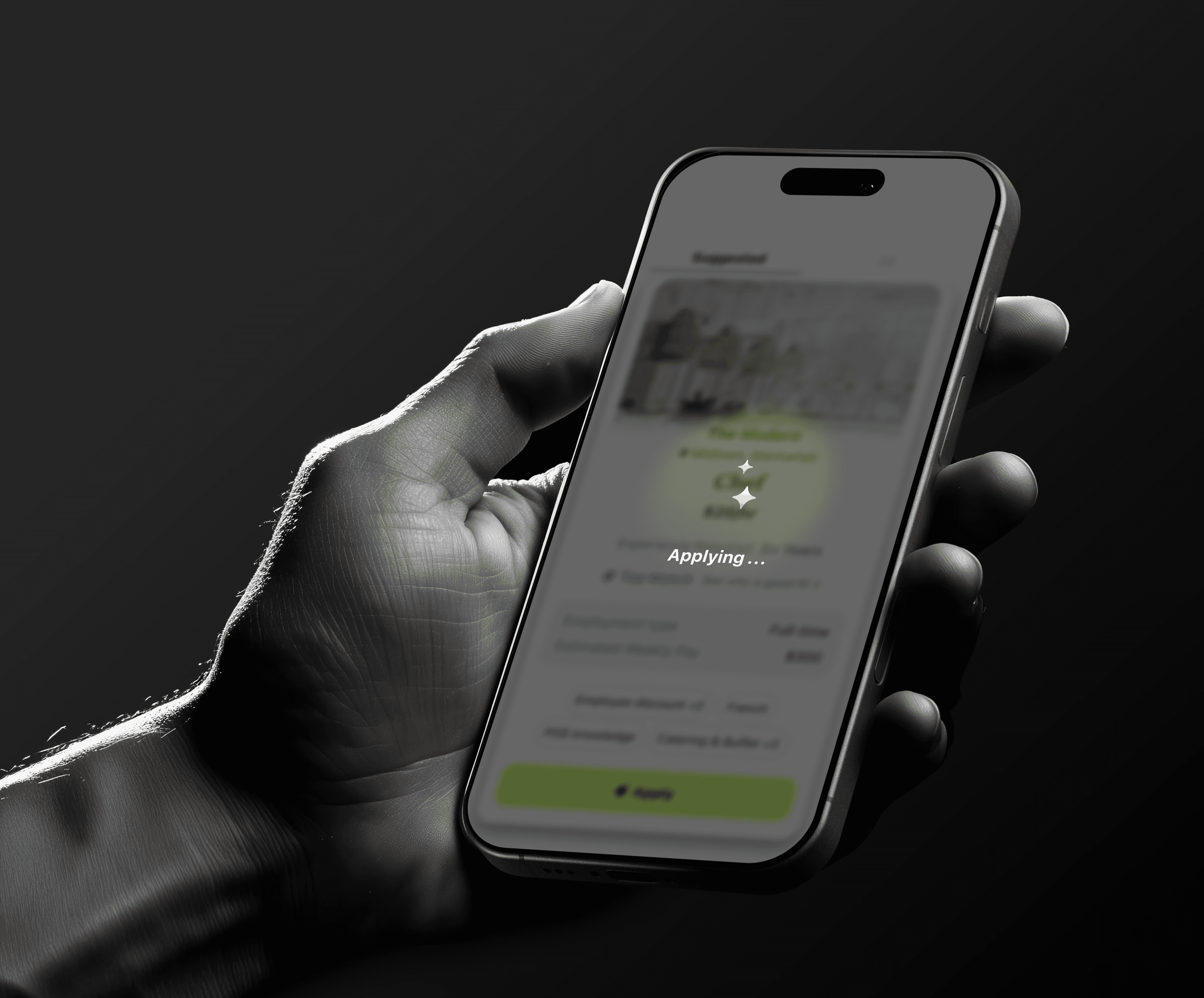

One-Click Apply

One-Click Apply

One-Click Apply

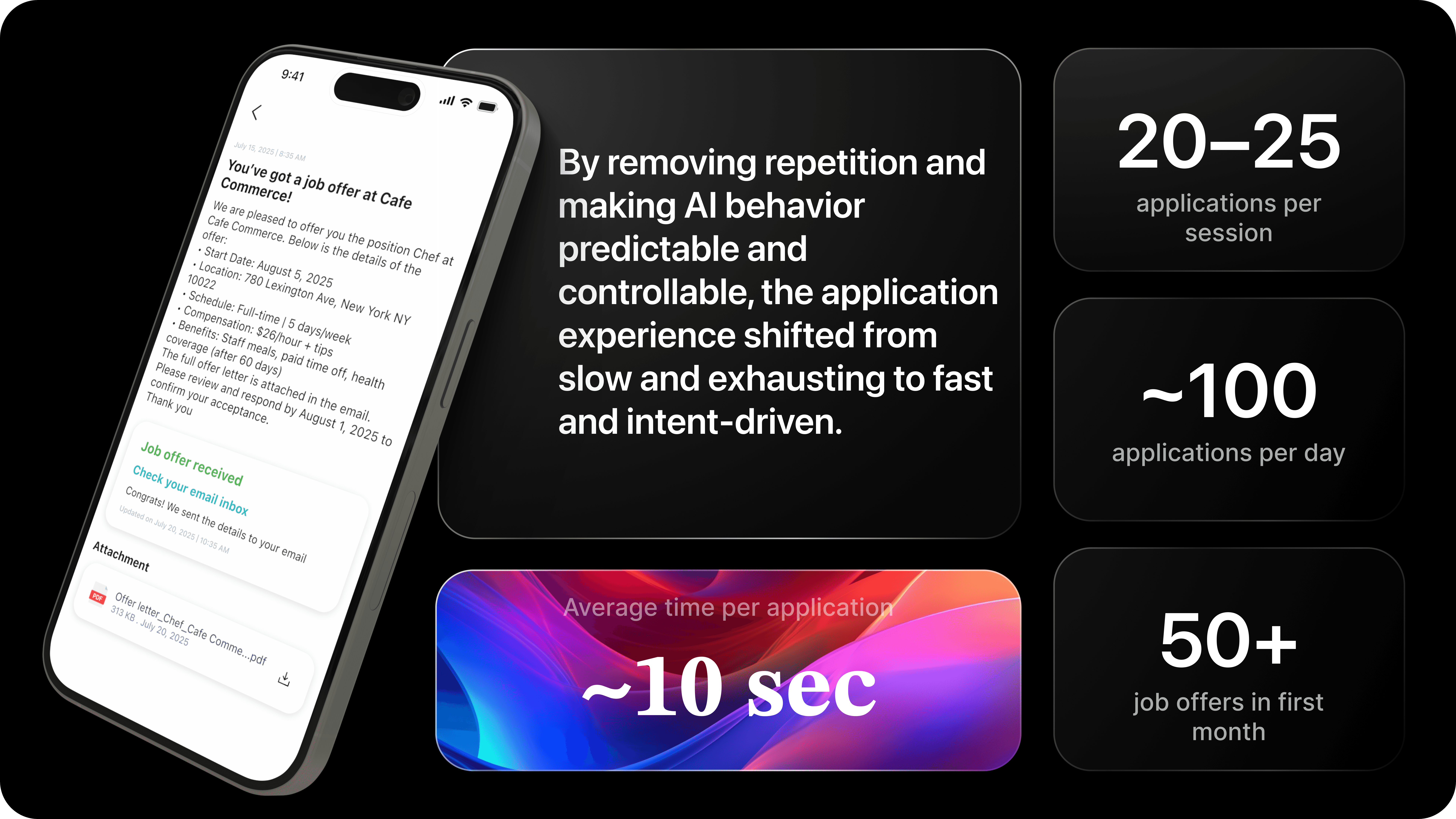
Shaping AI behavior and interaction models to reduce cognitive load in high-volume job applications

Shaping AI behavior and interaction models to reduce cognitive load in high-volume job applications

Shaping AI behavior and interaction models to reduce cognitive load in high-volume job applications

Applying to multiple jobs shouldn’t feel like filling the same form again and again.

Applying to multiple jobs shouldn’t feel like filling the same form again and again.

Applying to multiple jobs shouldn’t feel like filling the same form again and again.

The Problem

The Problem

Frontline restaurant hiring in the U.S. is structurally broken.

Frontline restaurant hiring in the U.S. is structurally broken.

Despite millions of open roles, restaurants struggle to hire, and job seekers struggle to apply — not because of a lack of demand, but because the hiring workflow itself is mismatched to how frontline work actually functions.

Most job platforms were designed for corporate, low-volume hiring.
F&B hiring is the opposite: high turnover, local urgency, hourly roles, and fast decisions.

Despite millions of open roles, restaurants struggle to hire, and job seekers struggle to apply — not because of a lack of demand, but because the hiring workflow itself is mismatched to how frontline work actually functions.

Most job platforms were designed for corporate, low-volume hiring.
F&B hiring is the opposite: high turnover, local urgency, hourly roles, and fast decisions.

This mismatch creates a system where:

  • Candidates abandon before applying

  • Restaurants remain understaffed

  • Platforms fail to convert either side

This mismatch creates a system where:

  • Candidates abandon before applying

  • Restaurants remain understaffed

  • Platforms fail to convert either side

This is not a supply problem.
It is a workflow failure.

This is not a supply problem.
It is a workflow failure.

What F&B Job Seekers Face Today

What F&B Job Seekers Face Today

Issue

Evidence

Applications are long and repetitive

Applications are long and repetitive

Hiring Thing: average job application takes average 23 mins [→]

Hiring Thing: average job application takes average 23 mins [→]

Candidates abandon mid-way

Candidates abandon mid-way

SHRM: 60% drop-off before completing applications [→]

SHRM: 60% drop-off before completing applications [→]

Restaurant workers change jobs frequently

Restaurant workers change jobs frequently

U.S. Bureau of Labor Statistics: 75%+ annual turnover in food service [→]

U.S. Bureau of Labor Statistics: 75%+ annual turnover in food service [→]

Local job discovery is fragmented

Local job discovery is fragmented

Users switch between Indeed, Craigslist, Job Today, Poached, Snagajob, Culinary agents, Etc

Users switch between Indeed, Craigslist, Job Today, Poached, Snagajob, Culinary agents, Etc

Restaurants lose applicants due to friction

Restaurants lose applicants due to friction

Onerec: 60% of frontline candidates quit due to length & complexity [→]

Onerec: 60% of frontline candidates quit due to length & complexity [→]

Speed matters more than resumes

Speed matters more than resumes

National Restaurant Association: 4 in 5 restaurants are understaffed [→]

National Restaurant Association: 4 in 5 restaurants are understaffed [→]

Candidates rarely get feedback

Candidates rarely get feedback

Prneswire: 75% of applicants never hear back [→]

Prneswire: 75% of applicants never hear back [→]

Why the system fails

Why the system fails

Traditional hiring assumes:

  • long forms

  • profile creation

  • role-by-role applications

  • delayed responses

Traditional hiring assumes:

  • long forms

  • profile creation

  • role-by-role applications

  • delayed responses

Frontline hiring operates on:

  • high churn

  • immediate need

  • walk-in mentality

  • fast yes/no decisions

Frontline hiring operates on:

  • high churn

  • immediate need

  • walk-in mentality

  • fast yes/no decisions

These two models are incompatible.

The result is a massive conversion gap between real hiring demand and the tools meant to support it.

These two models are incompatible.

The result is a massive conversion gap between real hiring demand and the tools meant to support it.

Core Problem Statement

Core Problem Statement

Restaurant hiring fails not because of lack of jobs or workers, but because the application workflow is structurally incompatible with how frontline work actually happens.

Restaurant hiring fails not because of lack of jobs or workers, but because the application workflow is structurally incompatible with how frontline work actually happens.

The Opportunity

The Opportunity

Reconnect a broken hiring journey into one continuous action

Reconnect a broken hiring journey into one continuous action

Frontline F&B hiring in the U.S. is not failing because of lack of jobs.
It is failing because the workflow is fragmented across multiple tools.

What should be one action is split into four disconnected steps:

Frontline F&B hiring in the U.S. is not failing because of lack of jobs.
It is failing because the workflow is fragmented across multiple tools.

What should be one action is split into four disconnected steps:

Every platform today solves only one part of the journey:

  • Job boards stop at discovery

  • ATS systems focus on application

  • Messaging happens outside the platform

  • Confirmation rarely exists

This creates workflow failure, not a supply problem.

Every platform today solves only one part of the journey:

  • Job boards stop at discovery

  • ATS systems focus on application

  • Messaging happens outside the platform

  • Confirmation rarely exists

This creates workflow failure, not a supply problem.

Process

Process

Process

Research & Competitor Analysis

Research & Competitor Analysis

Before designing any solution, we needed to deeply understand why frontline hiring in the U.S. F&B sector is fundamentally broken — not just visually outdated, but structurally misaligned with how hourly, gig, and migrant workers actually look for jobs.

This research phase was not about finding inspiration.
It was about identifying system-level friction, workflow failures, and non-negotiable constraints (compliance, privacy, data security) that any real solution must operate within.

Current User Journeys

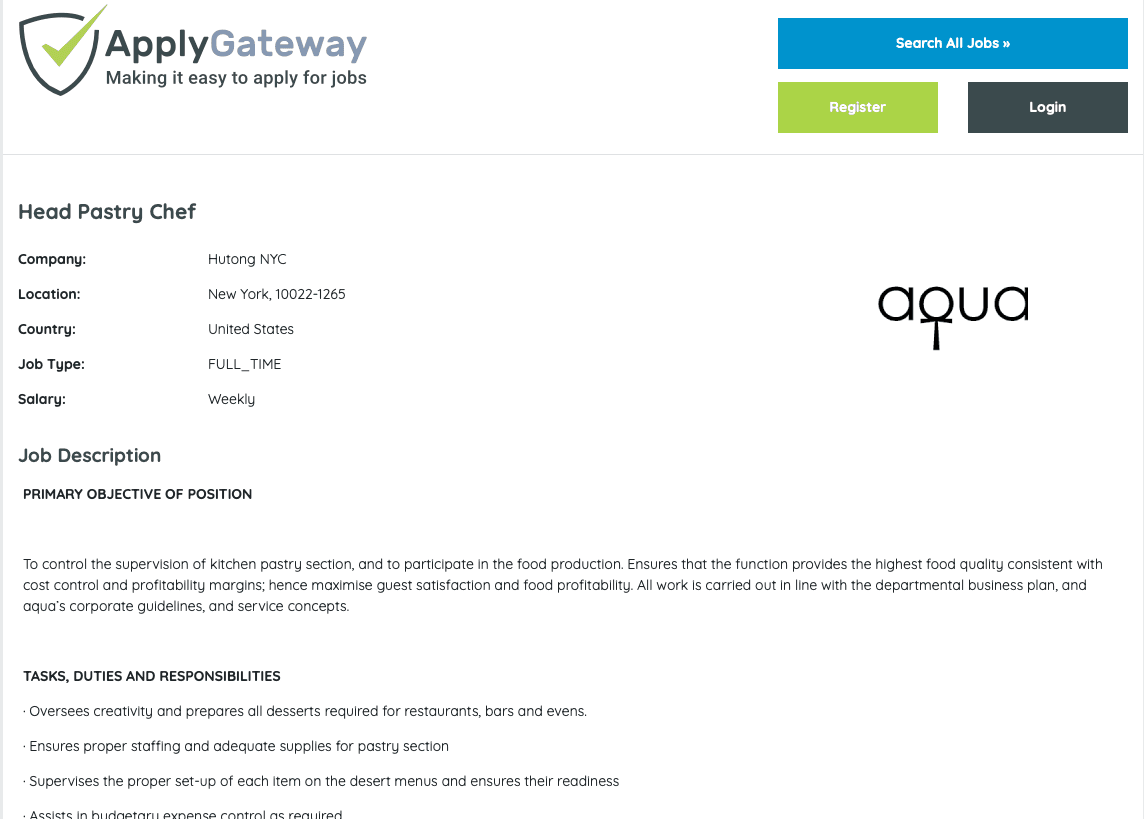
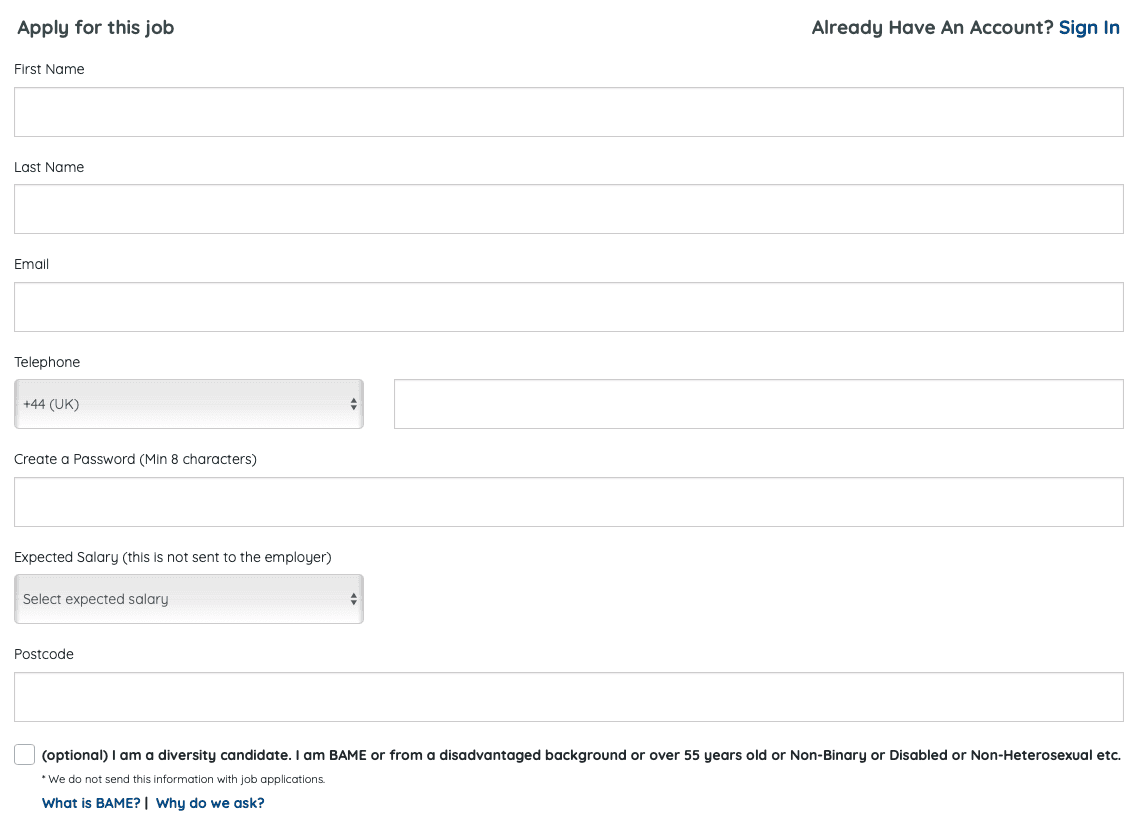
Culinary Agents (Standard Marketplace + ATS)

Culinary Agents (Standard Marketplace + ATS)

Culinary Agents (Standard Marketplace + ATS)

Job search → Job page → Click “Apply” → Redirect to ATS → Create login → Fill profile → Upload résumé → Fill work history → Answer compliance questions → Submit → Wait for email

UI Steps

  • Search bar + filters

  • List of jobs

  • Job detail → Apply

  • Redirect form

  • Multi-step form (repeated fields)

Pain Points

  • Redirect breaks context (job page → new site)

  • Repeated data entry across roles

  • ATS systems treat each apply as brand-new person

  • No unified status — users wait for email
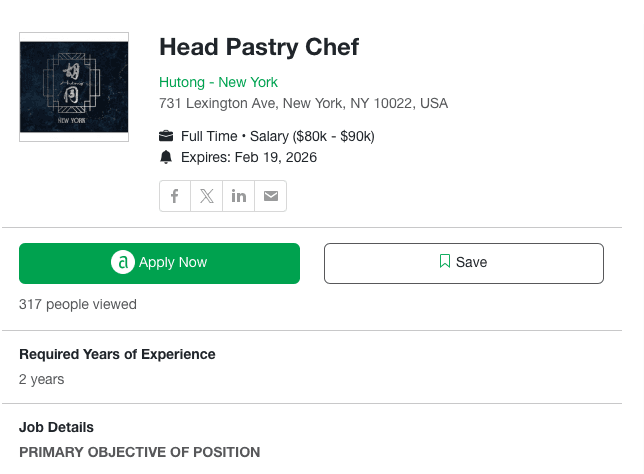
Traditional marketplace use-case flows into legacy ATS.

Job Today (Mobile Job Board)

Job Today (Mobile Job Board)

Job Today (Mobile Job Board)

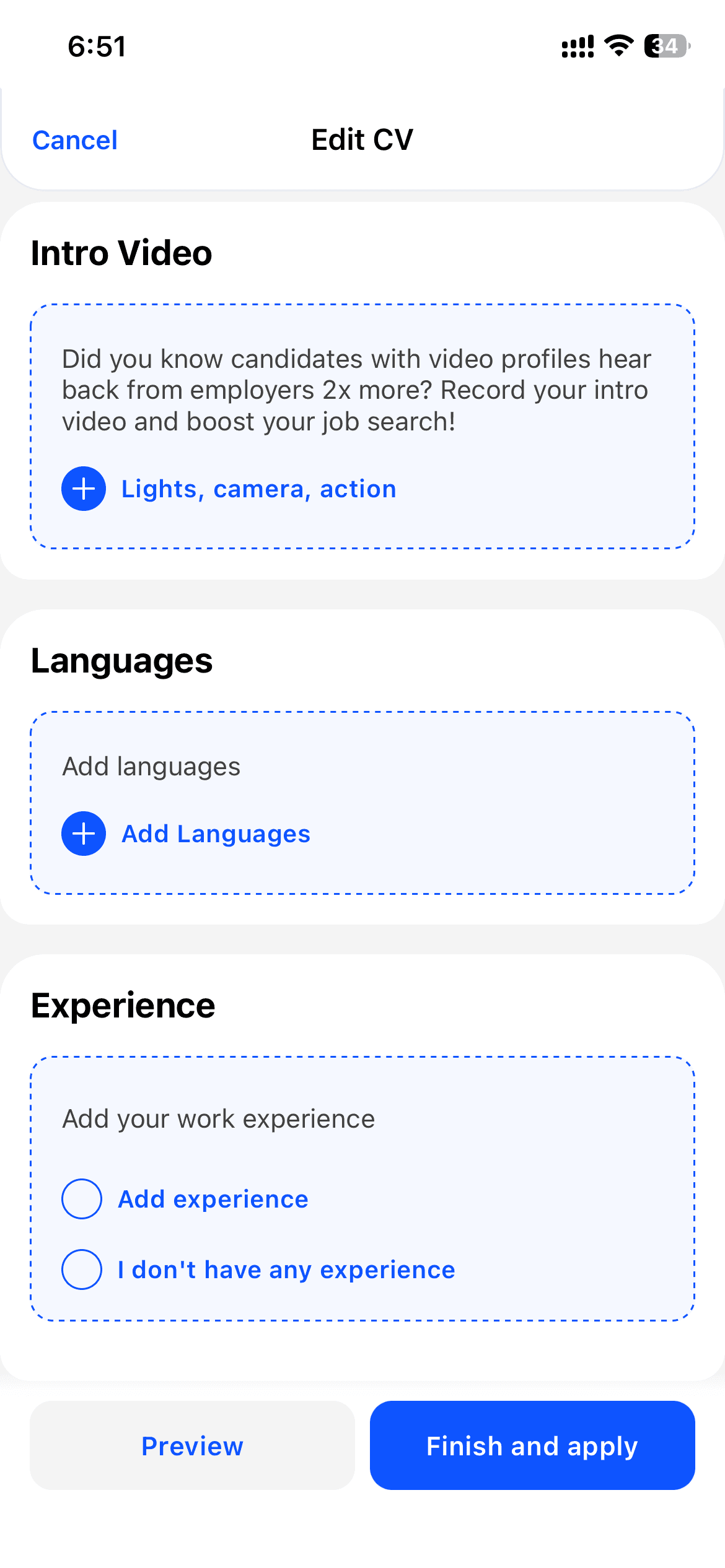
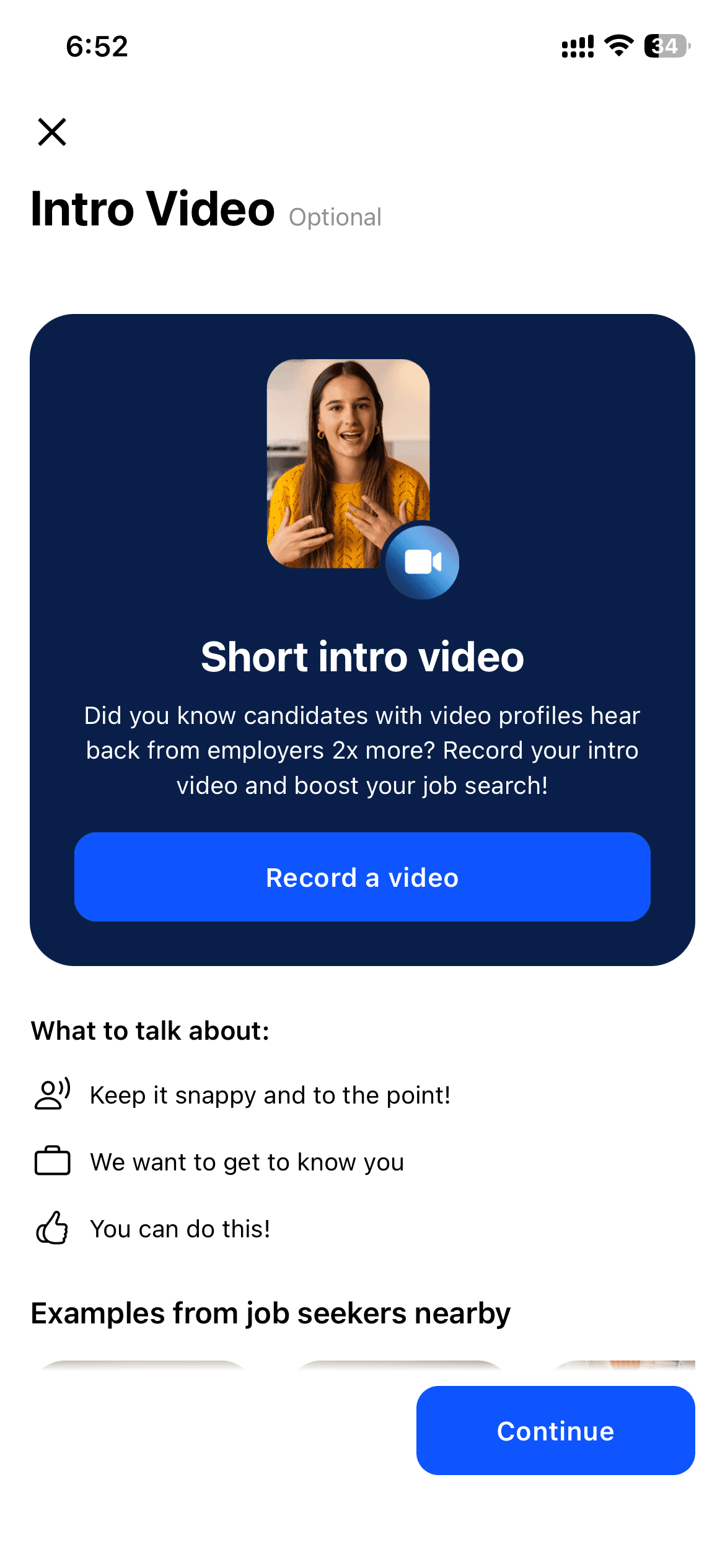
Open app → Browse local jobs → Click Match → Get matched → Fill form → Upload résumé → Answer screening → Submit → No clear feedback or status

UI Steps

  • Map / list of nearby roles

  • “Match this job”

  • First-time profile creation

  • Short form

  • Screening questions

  • Submit

Pain Points

  • No continuity between jobs — applied jobs behave like discrete events

  • Profile resets required for additional roles

  • Feedback is missing — no delivery status

  • Workers don’t know which jobs saw their résumé
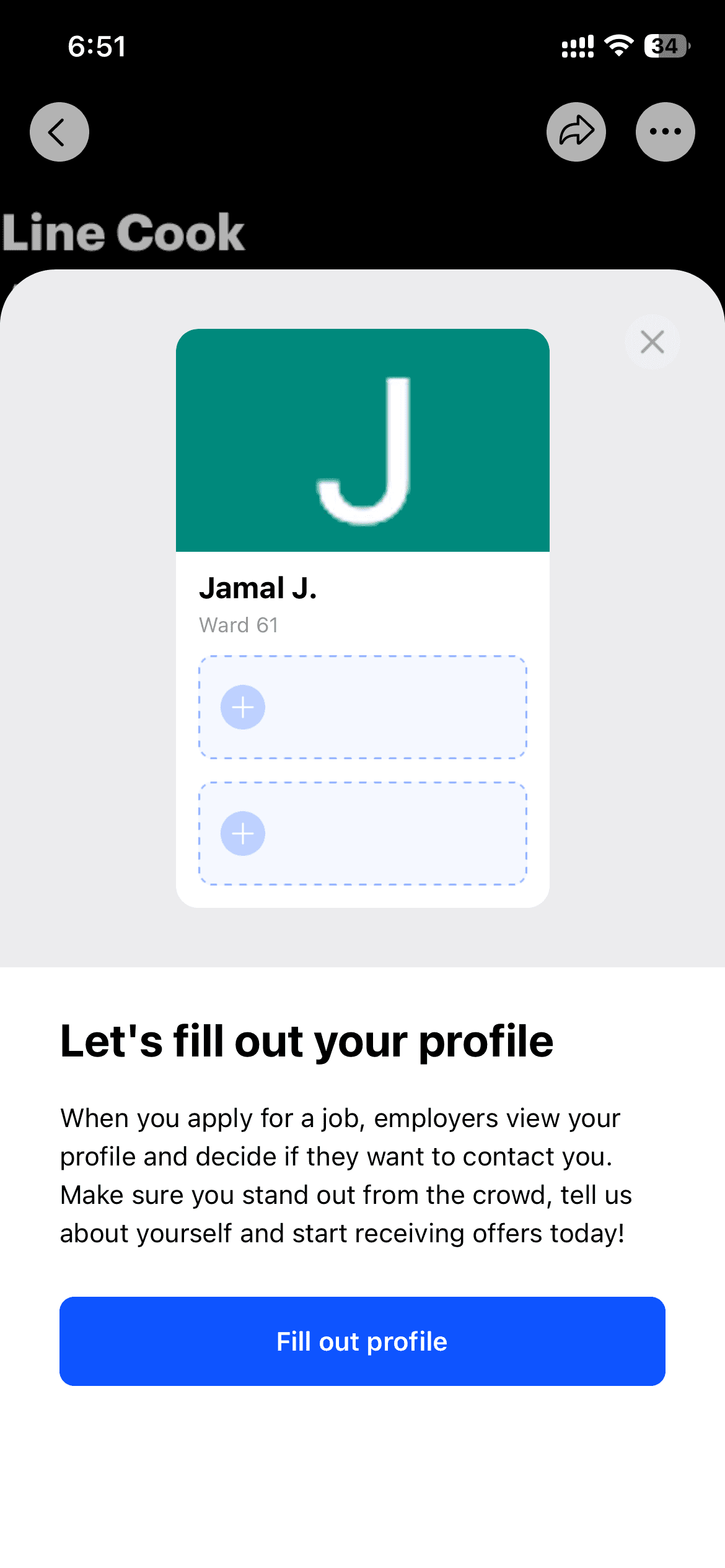
Mobile-first job board still leaves users with repeated forms and no tracking.

Platform Landscape

We reviewed application flows across multiple platforms to understand how repetition, decision-making, and automation are handled.

Across platforms, the same structural patterns emerged.

We reviewed application flows across multiple platforms to understand how repetition, decision-making, and automation are handled.

Across platforms, the same structural patterns emerged.

We reviewed application flows across multiple platforms to understand how repetition, decision-making, and automation are handled.

Across platforms, the same structural patterns emerged.

Repetition is systemic

Users re-enter the same information (name, experience, availability, certifications) for every job. Context is rarely reused.

Repetition is systemic

Users re-enter the same information (name, experience, availability, certifications) for every job. Context is rarely reused.

Repetition is systemic

Users re-enter the same information (name, experience, availability, certifications) for every job. Context is rarely reused.

Decision fatigue is unaddressed

Users answer the same screening questions and confirm the same preferences again and again.

Decision fatigue is unaddressed

Users answer the same screening questions and confirm the same preferences again and again.

Decision fatigue is unaddressed

Users answer the same screening questions and confirm the same preferences again and again.

No intent recognition

Platforms do not adapt when users apply to multiple jobs. Each application is treated as isolated.

No intent recognition

Platforms do not adapt when users apply to multiple jobs. Each application is treated as isolated.

No intent recognition

Platforms do not adapt when users apply to multiple jobs. Each application is treated as isolated.

Automation without visibility

Basic autofill exists, but users are not told why data is filled or what the system is doing.


Automation without visibility

Basic autofill exists, but users are not told why data is filled or what the system is doing.


Automation without visibility

Basic autofill exists, but users are not told why data is filled or what the system is doing.


Detailed ATS Research Benchmark

Audit scope:
Harri, Workday, iCIMS, Taleo, SmartRecruiters, Greenhouse, Lever, BambooHR, ADP Workforce Now, UKG, Paycor, JazzHR, Paradox (Olivia), Workstream, AllyO, McHire

These platforms collectively power hiring for brands like McDonald’s, Chipotle, Domino’s, Starbucks, Subway, Wendy’s, KFC, Taco Bell, and large franchise groups.

Method:
We reviewed live application flows, demo environments, field documentation, and candidate experience videos across 16 platforms focused on high-volume frontline hiring.

Audit scope:
Harri, Workday, iCIMS, Taleo, SmartRecruiters, Greenhouse, Lever, BambooHR, ADP Workforce Now, UKG, Paycor, JazzHR, Paradox (Olivia), Workstream, AllyO, McHire

These platforms collectively power hiring for brands like McDonald’s, Chipotle, Domino’s, Starbucks, Subway, Wendy’s, KFC, Taco Bell, and large franchise groups.

Method:
We reviewed live application flows, demo environments, field documentation, and candidate experience videos across 16 platforms focused on high-volume frontline hiring.

Key Insight

Even “AI-first” platforms still force candidates through compliance-driven corporate workflows.
Most platforms ask all fields every time, even when irrelevant. No memory or reuse of prior answers.

Competitive UX Pattern Cards
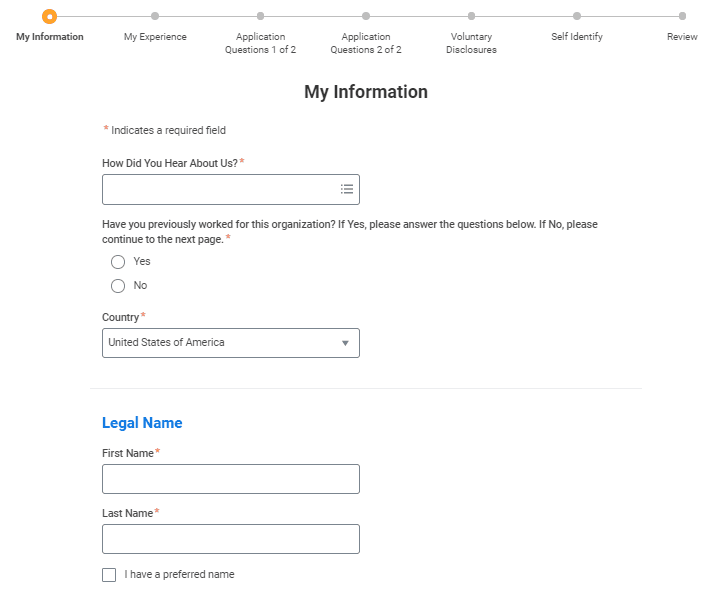
Workday

Pattern: Multi-step long form
Weakness: Not mobile-friendly; context lost in redirects
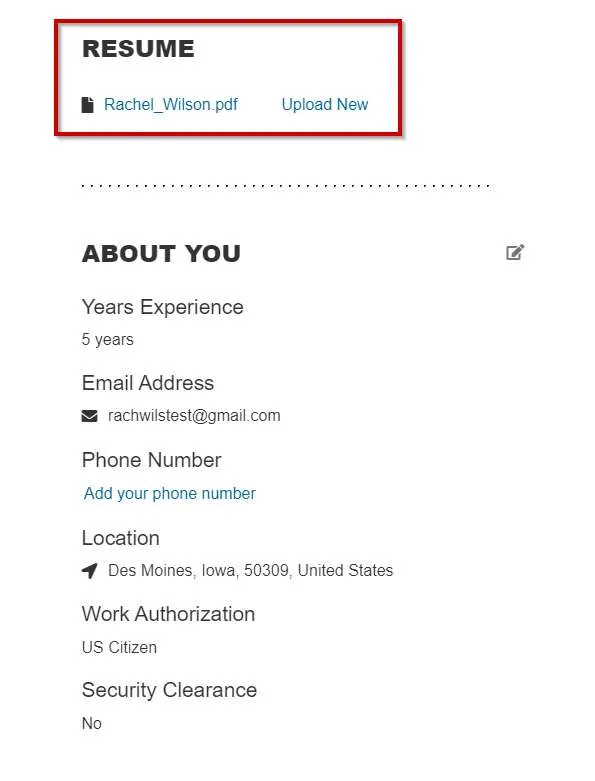
iCIMS / SmartRecruiters

Pattern: Resume + cover letter emphasis
Weakness: Excludes non-résumé or blue-collar candidates
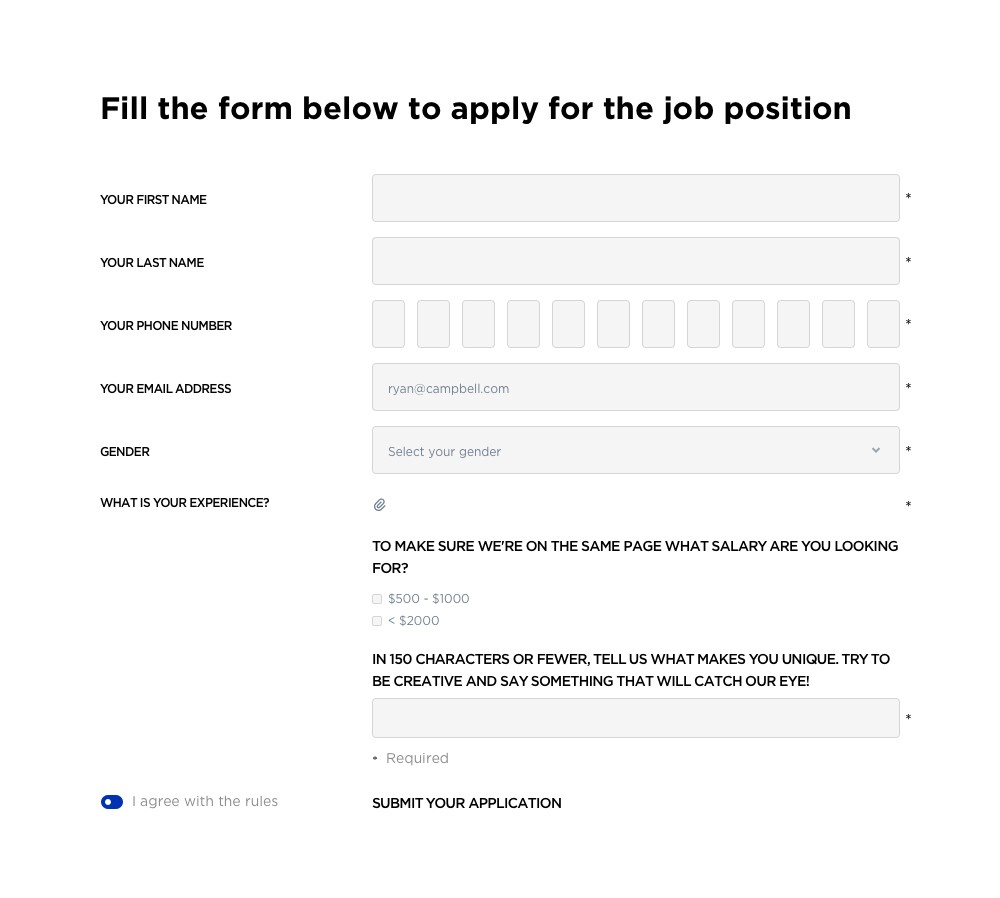
Snagajob

Pattern: Local job listing
Weakness: Still requires discrete forms per job
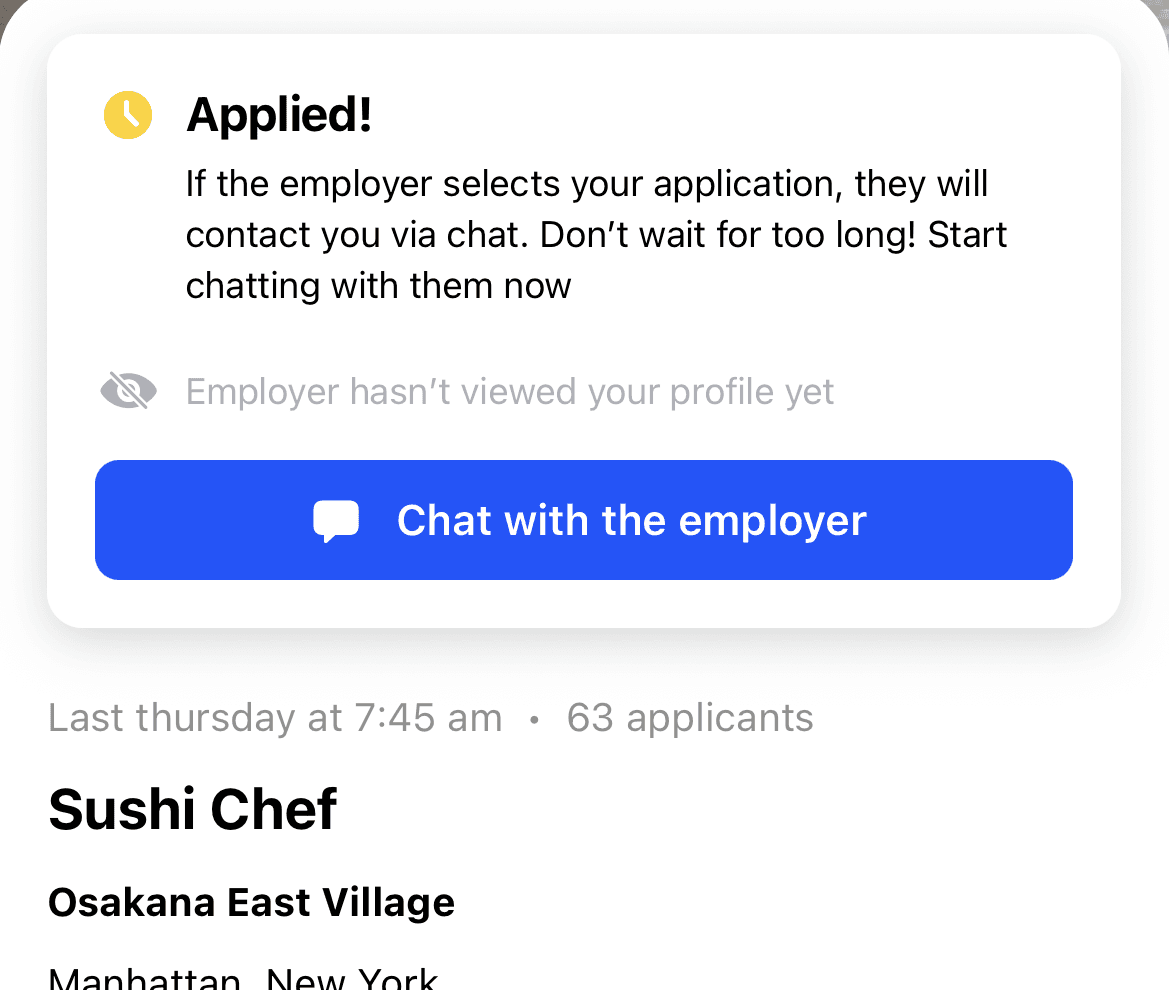
Job Today

Pattern: Short matching input
Weakness: No tracking or apply history
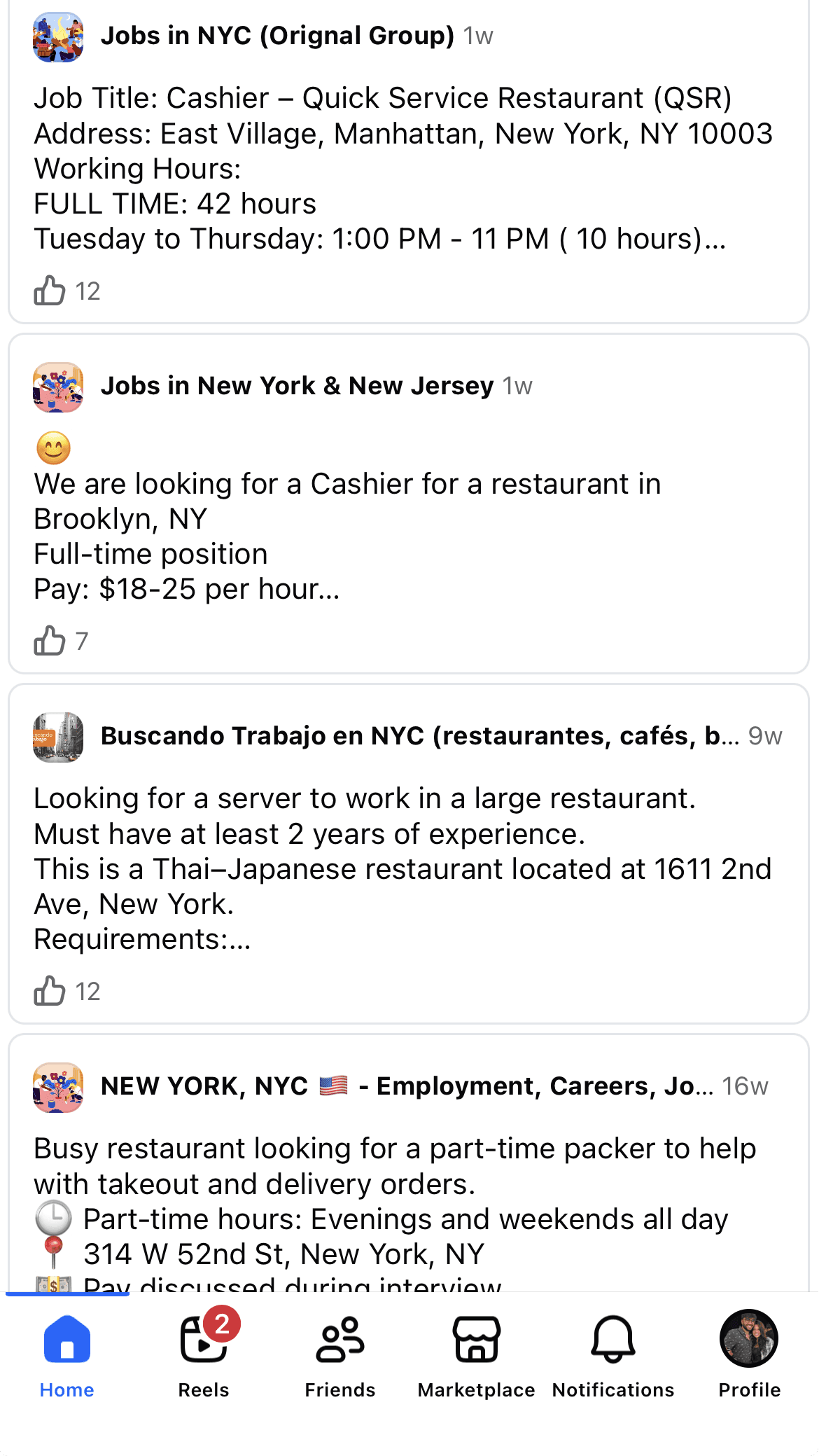
FB groups

Pattern: Informal posting
Weakness: No structure, no tracking, no verification

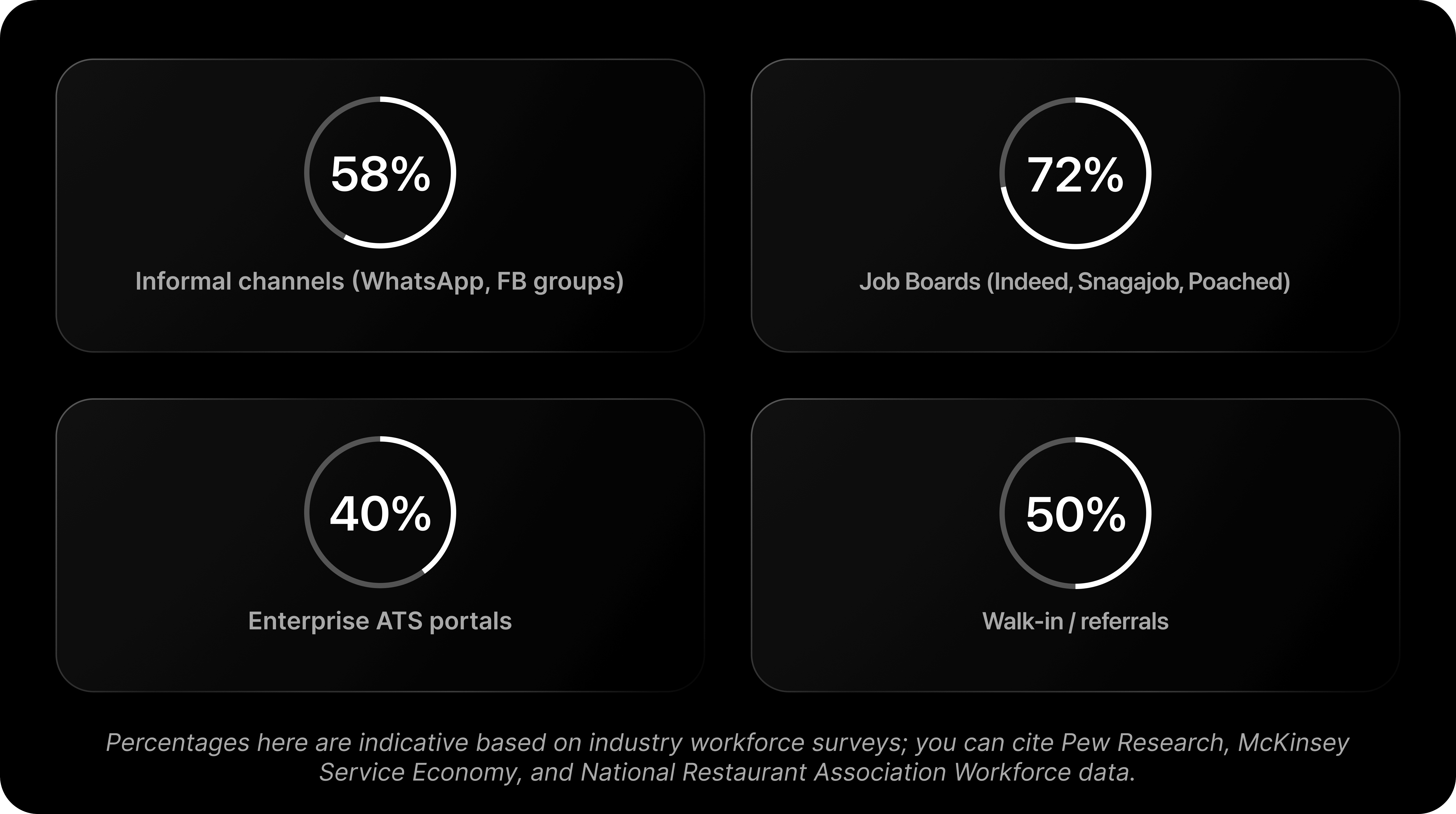
What Platforms F&B Workers Actually Use (Usage Stats)
System Constraints, Risks & Human Tradeoffs

System Constraints, Risks & Human Tradeoffs

We built “One Click Apply” to remove repetitive work for frontline F&B hires. Early pilots taught us a brutal truth: removing clicks can remove protections. The initial feature technically worked — but it failed when legal, privacy, employer operations, and the real human contexts collided. We had to stop, unpack every assumption, and redesign to keep scale and safety.

Expecatation

What we thought would happen

Visual style:

  • Clean, optimistic UI

  • One big CTA: “Apply”

  • A single tap animation

  • Confetti / checkmarks / progress ring

Micro-copy examples:

  • “No forms, no friction”

  • “AI handles the rest”

What this represents:
The naïve belief that speed = success.

Reality

What actually happened

Visual style:

  • UI with red warning states

  • Error badges over fields

  • Legal/lock icons

  • ATS rejection states

Show visually:

  • A form blocked at SSN, WOTC, Work authorization

  • Red system messages:

    • “Employer rejected submission”

    • “Compliance audit required”

    • “Rate limit exceeded”

    • “Candidate disqualified”

What this represents:
The system technically worked, but the world it ran in didn’t.

Outcome

What we changed

Visual style:

  • Calmer, grounded UI

  • Gated steps

  • Clear consent modals

  • Track view with statuses

Show visually:

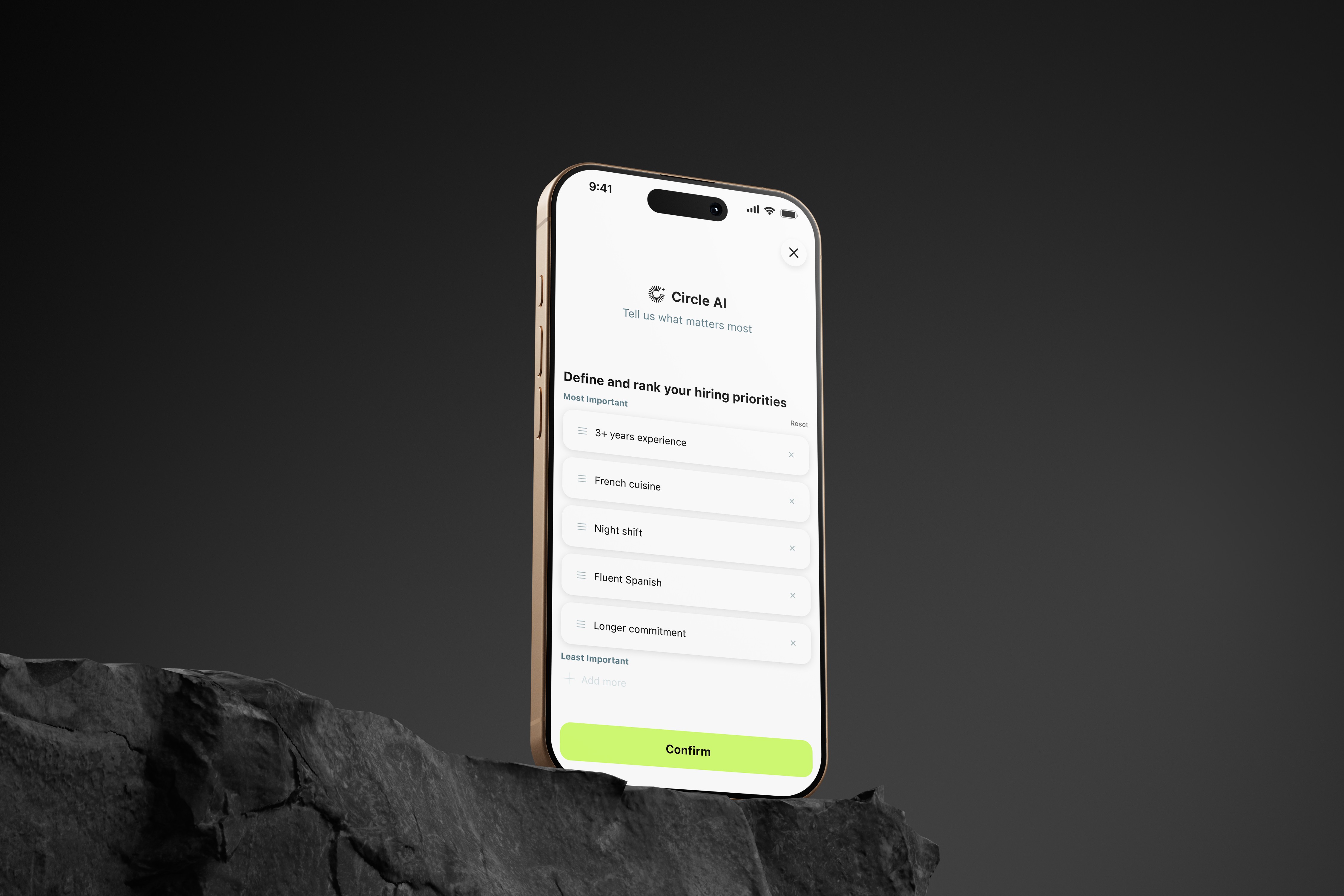
  • AI suggests → user confirms

  • Sensitive data = “Review before sending”

  • Status list:

    • Sent

    • Needs info

    • Employer follow-up

  • “Why we ask this” tooltips

What this represents:
We stopped chasing fewer clicks and started designing for safe momentum.

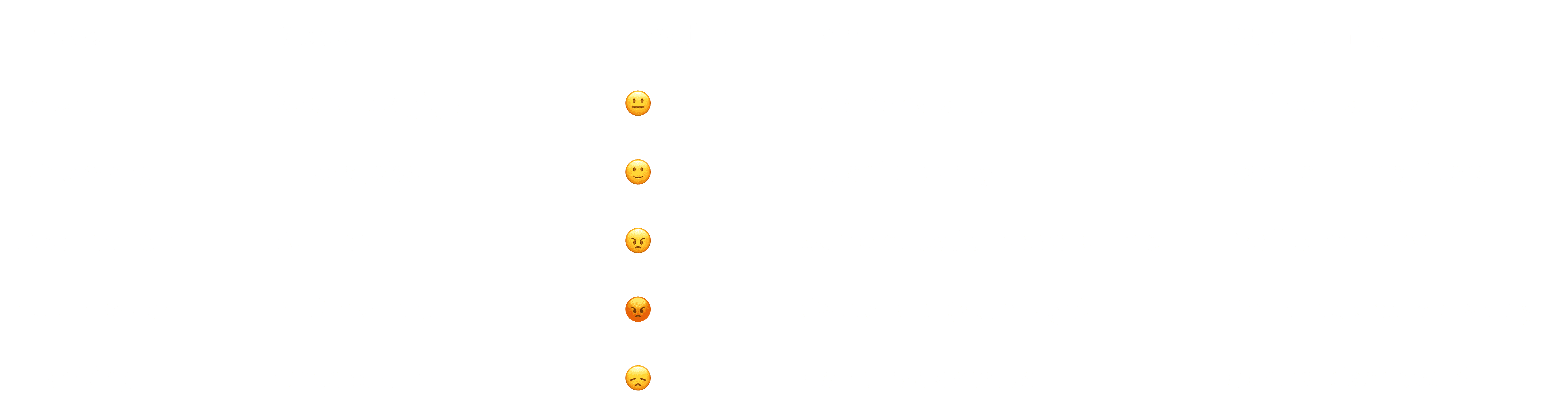
Persona Journeys: Real-World Hiring Friction

We mapped the full hiring journey for three frontline personas to understand where “One Click Apply” broke — and where it could safely remove friction.

Each journey shows:

  • Stages

  • Emotional curve

  • Concrete pain

  • Design opportunity

  • Where automation must stop

Alex — Server / Gig Worker (24)

Location: Austin, TX
Tech: iPhone, Craigslist, FB Groups
Goal: Bulk apply fast
Frustration: Repetition & hidden rejections
Where One Click Failed

  • Resume parser rejected formats

  • Hidden disqualifiers surfaced late

Design Pivot

  • Pre-validation

  • Transparent field usage

  • Rollback if employer asks sensitive data

Where One Click Failed

  • Resume parser rejected formats

  • Hidden disqualifiers surfaced late

Design Pivot

  • Pre-validation

  • Transparent field usage

  • Rollback if employer asks sensitive data

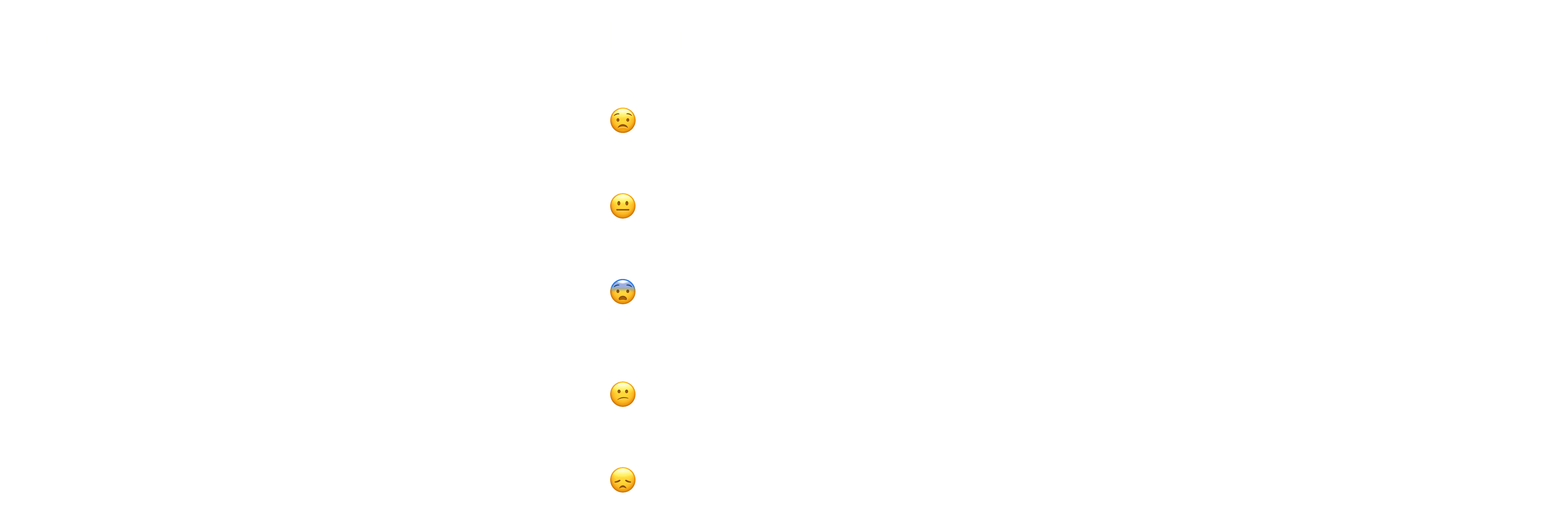
Maria — Line Cook (28) - Immigrant

Location: Queens, NY
Tech: Android, WhatsApp, limited English
Goal: Job within 48–72 hours
Fear: Data misuse, deportation risk
Where One Click Failed

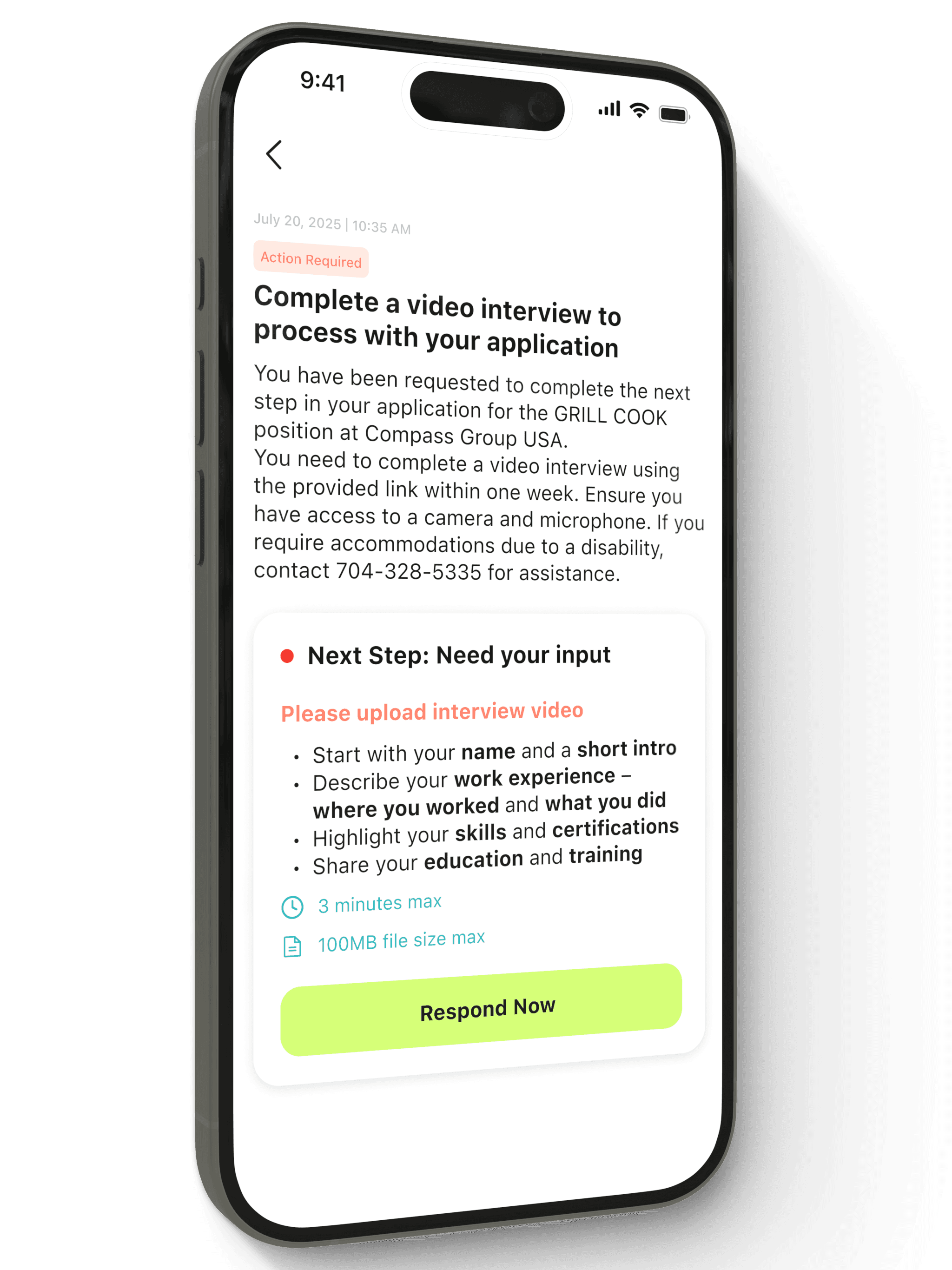
  • Auto-filling SSN triggered fear

  • Compliance questions without context caused drop-off

Design Pivot

  • Sensitive fields → gated later

  • Native-language tooltips

  • “What this is for” labels

Where One Click Failed

  • Auto-filling SSN triggered fear

  • Compliance questions without context caused drop-off

Design Pivot

  • Sensitive fields → gated later

  • Native-language tooltips

  • “What this is for” labels

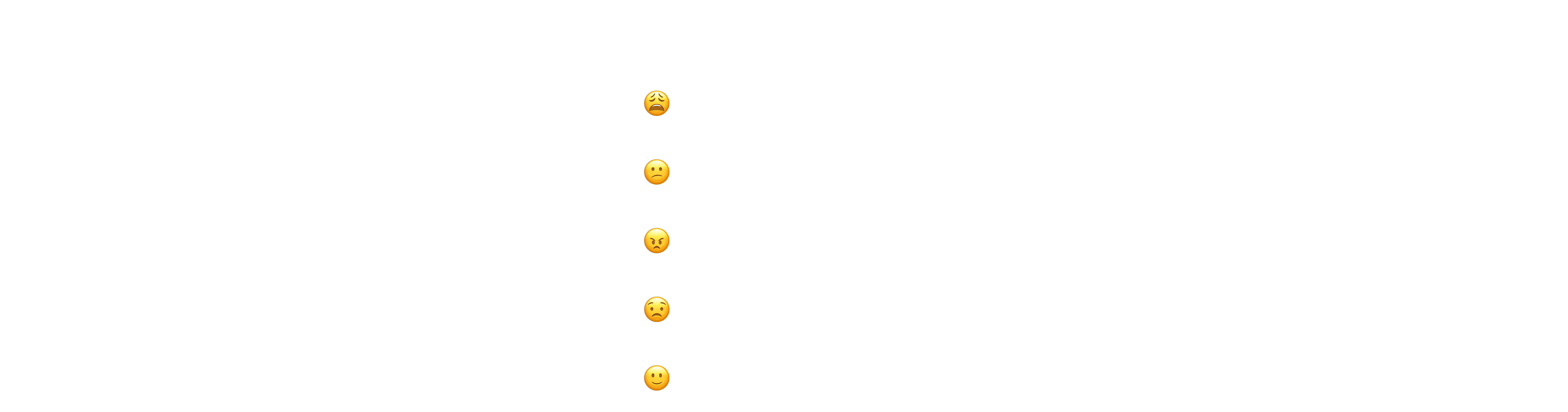
James — Restaurant Manager (38)

Location: San Francisco
Tech: Harri, Workday, Greenhouse
Goal: Staff fast + stay compliant
Where One Click Failed

  • AI answers lacked audit trail

  • Auto-filtering created bias risk

Design Pivot

  • Every AI action logged

  • ATS field mapping verified

  • Human approval gates

Where One Click Failed

  • AI answers lacked audit trail

  • Auto-filtering created bias risk

Design Pivot

  • Every AI action logged

  • ATS field mapping verified

  • Human approval gates

What We Learned

Removing friction blindly caused new problems:

  • Users felt unsafe when sensitive questions appeared too early

  • Employers needed verified, compliant data

  • Candidates didn’t understand why certain details were required

So we shifted from full automation → to guided, consent-based automation.
Interaction Model & Experience Design

Interaction Model & Experience Design

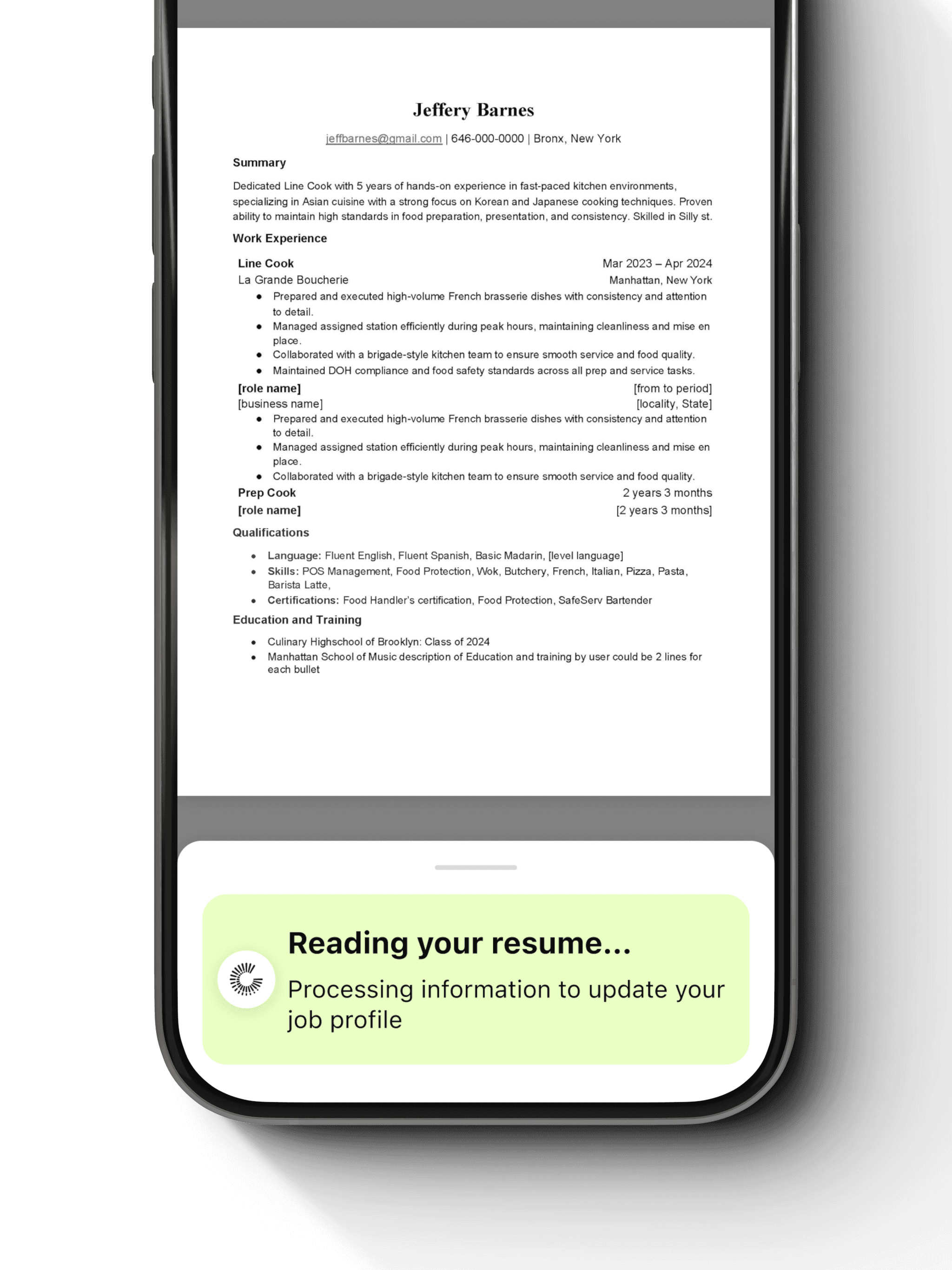
One Click Apply is built on a clear interaction model that defines how AI learns, assists, and hands control back to the user.
Each behavior is intentionally expressed through the interface so users always understand what the system is doing and why.

One Click Apply is built on a clear interaction model that defines how AI learns, assists, and hands control back to the user.
Each behavior is intentionally expressed through the interface so users always understand what the system is doing and why.

How do we make AI feel helpful without making it feel invisible or overwhelming?

How do we make AI feel helpful without making it feel invisible or overwhelming?

How do we make AI feel helpful without making it feel invisible or overwhelming?

Learn Once

System behavior

The system captures user information a single time through resume parsing or manual input, along with baseline questions required across employers.

The system captures user information a single time through resume parsing or manual input, along with baseline questions required across employers.

How it appears in the UI

Profile setup is lightweight and progressive. Parsed resume data is previewed and fully editable, reinforcing accuracy and trust from the first interaction.

Profile setup is lightweight and progressive. Parsed resume data is previewed and fully editable, reinforcing accuracy and trust from the first interaction.

Reuse Context

System behavior

When users apply to multiple jobs, previously captured information and answered questions are automatically reused. The same input is never requested twice.

When users apply to multiple jobs, previously captured information and answered questions are automatically reused. The same input is never requested twice.

How it appears in the UI

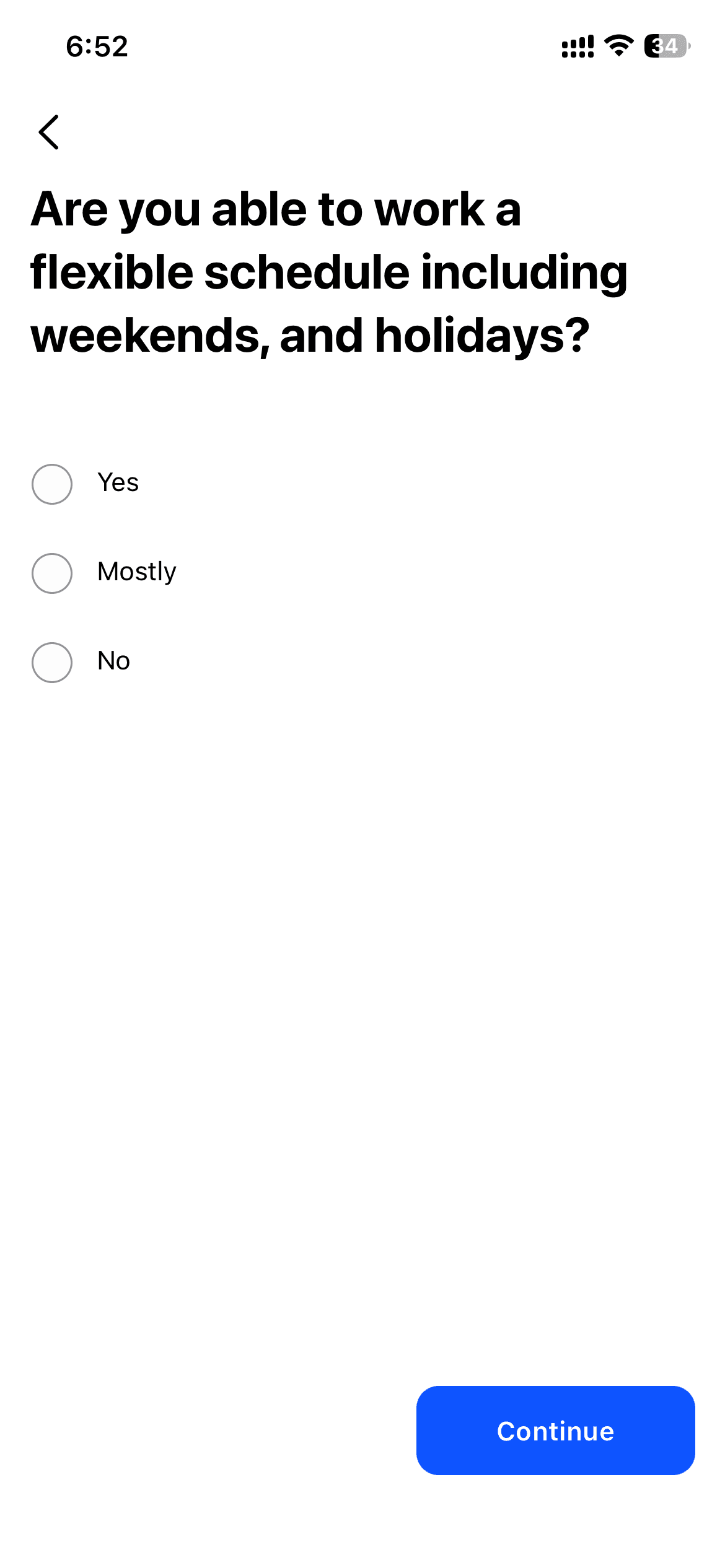
Long application forms are replaced with a short confirmation view. Users review what will be applied instead of re-entering data.

Long application forms are replaced with a short confirmation view. Users review what will be applied instead of re-entering data.

Ask Only When Unknown

System behavior

If a specific job requires information that hasn’t been captured before, the system asks only that question and stores it for future use.

If a specific job requires information that hasn’t been captured before, the system asks only that question and stores it for future use.

How it appears in the UI

New questions appear inline at the moment they are needed, clearly marked as being saved for future applications.

New questions appear inline at the moment they are needed, clearly marked as being saved for future applications.

Provide Clear Feedback

System behavior

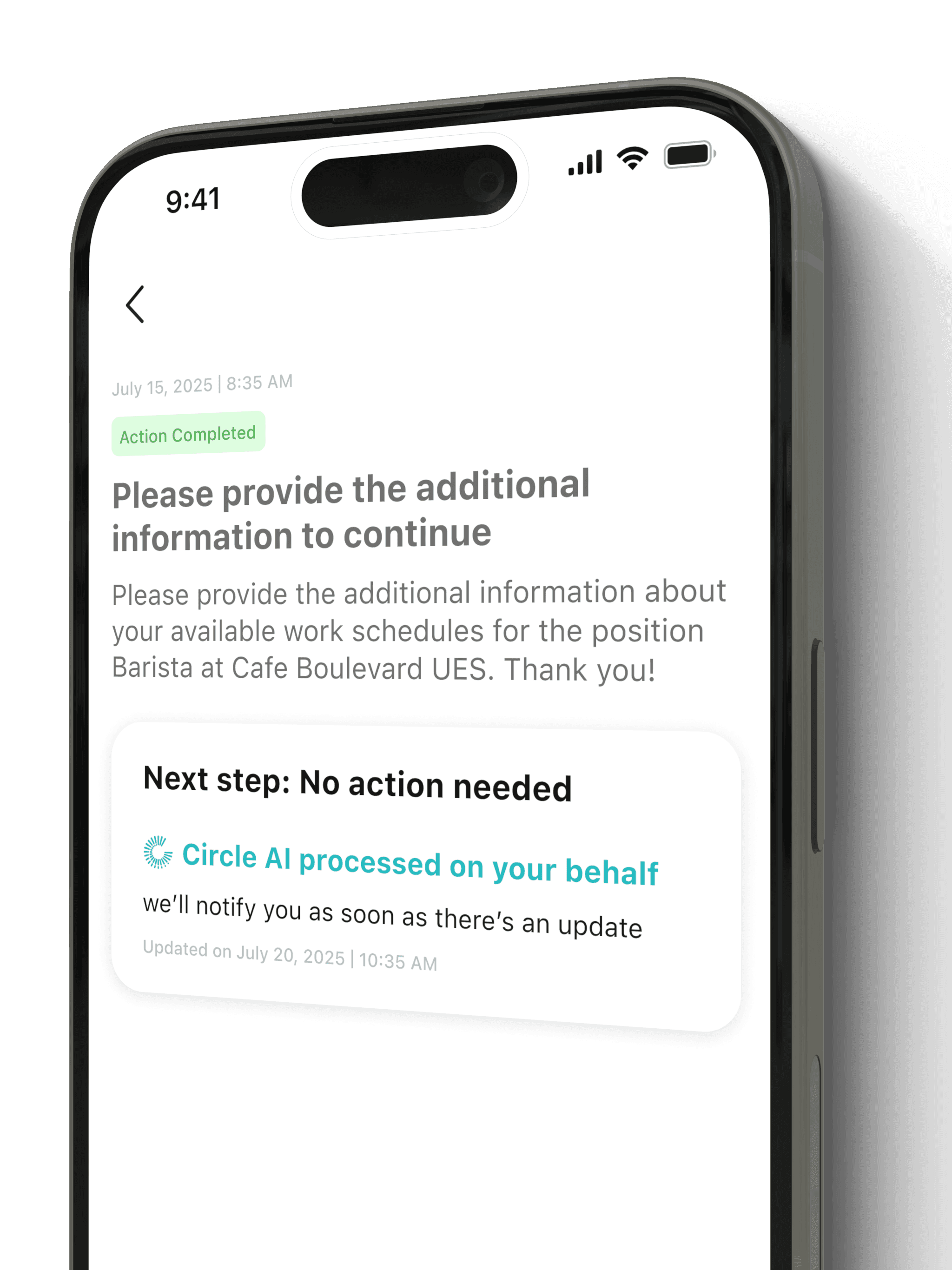
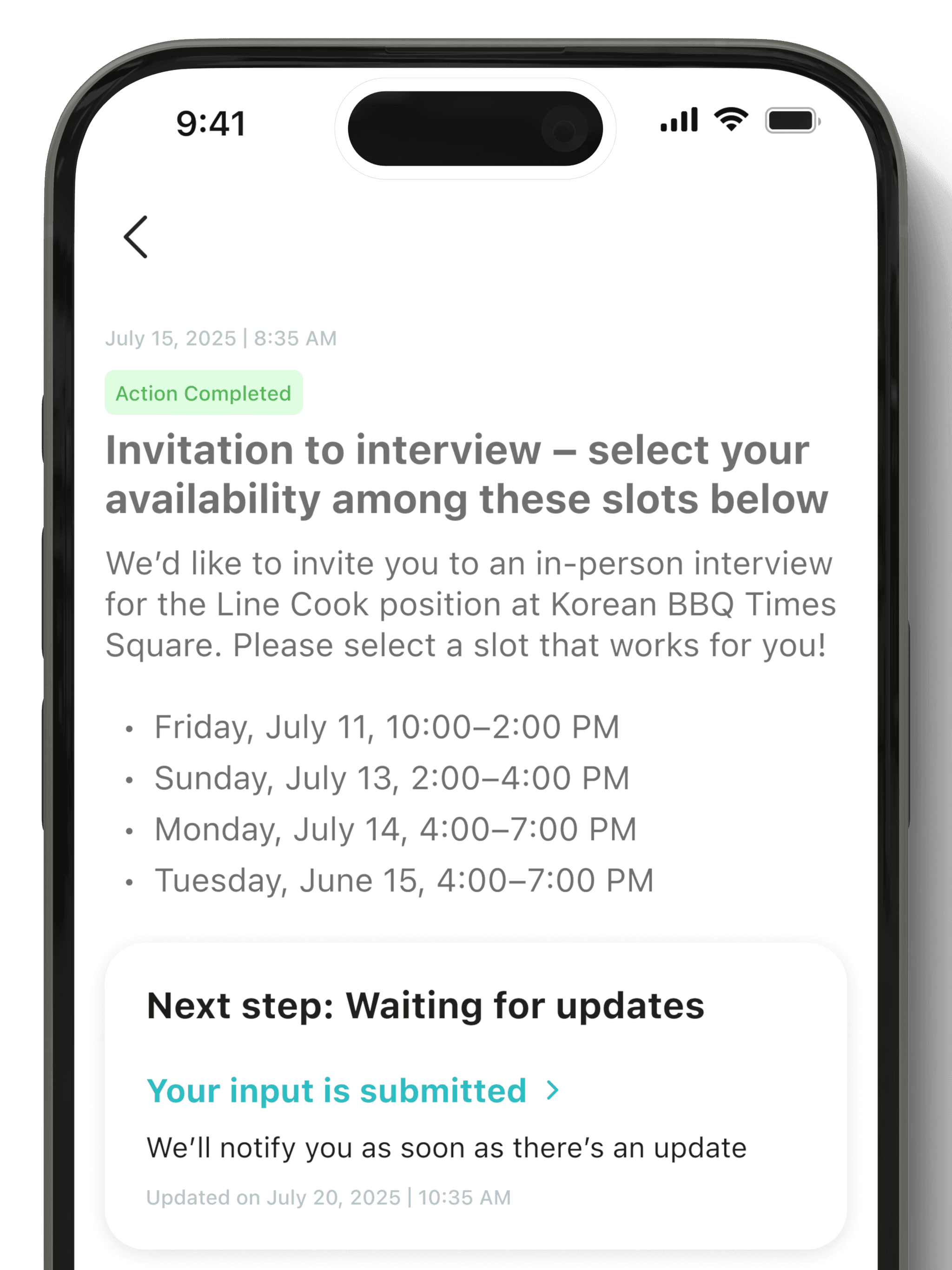
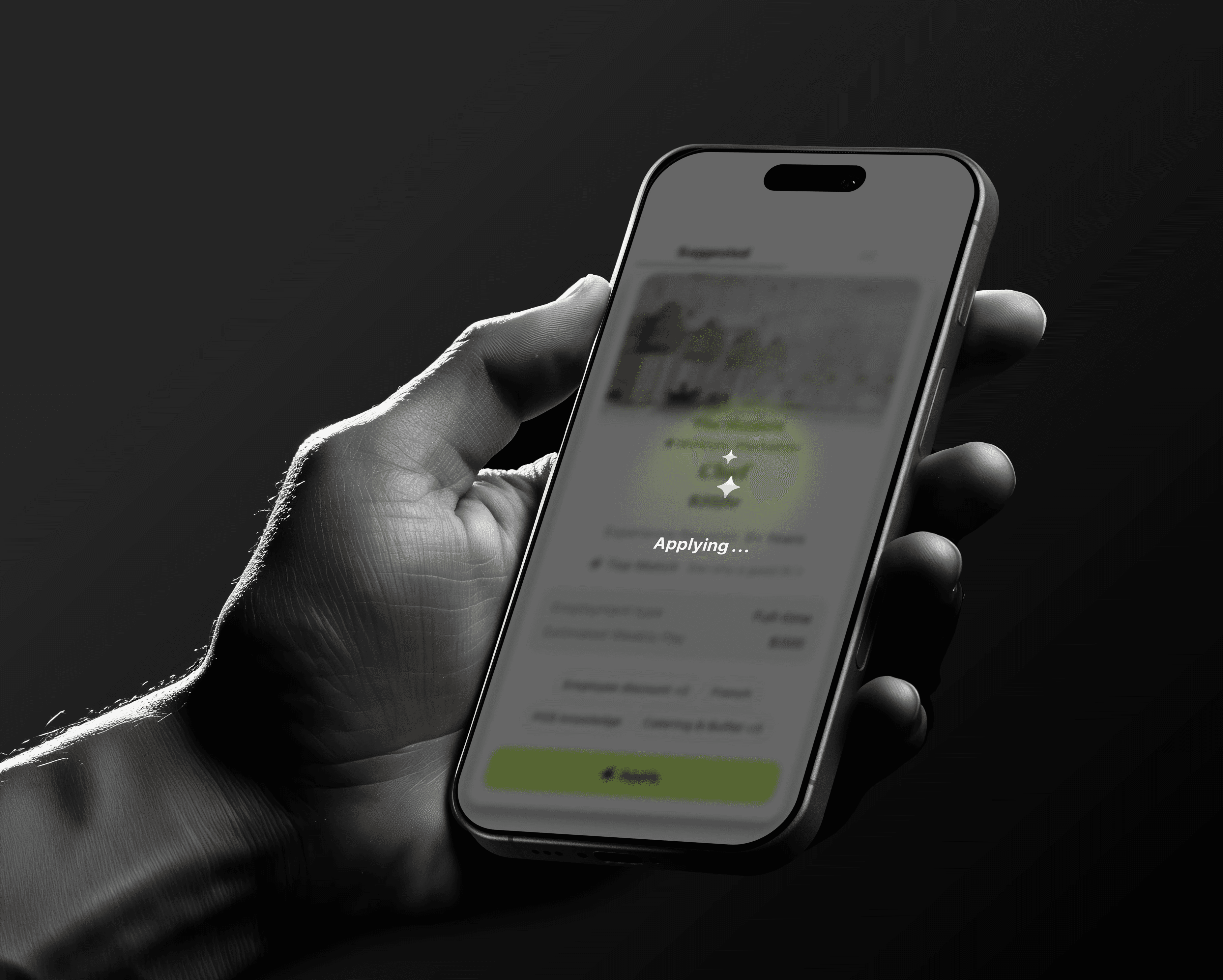
After submission, the system communicates completion and next steps explicitly.

After submission, the system communicates completion and next steps explicitly.

How it appears in the UI

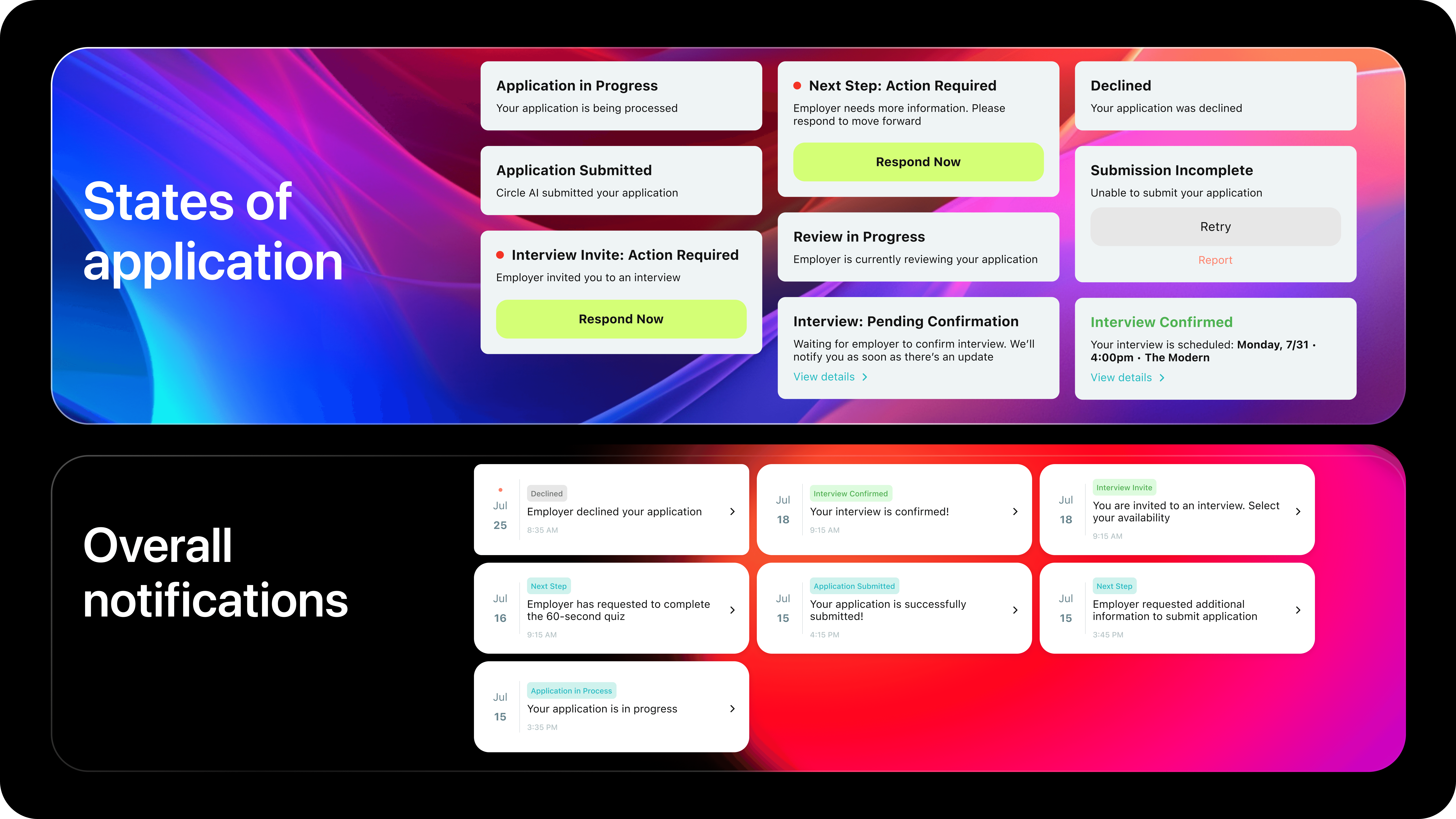
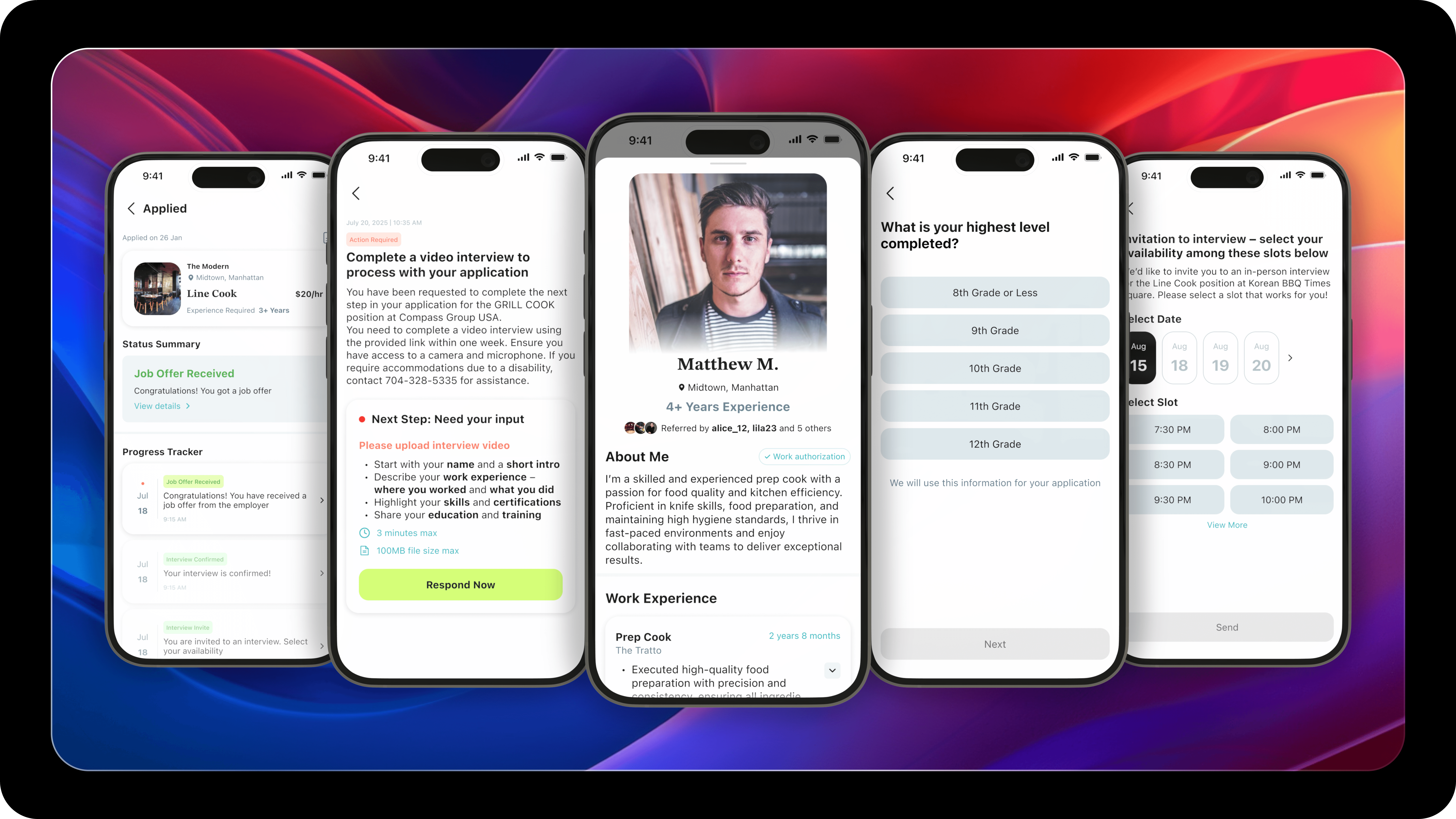
A clear success state confirms what was submitted, where it was sent, and what happens next — avoiding silent or ambiguous transitions.

A clear success state confirms what was submitted, where it was sent, and what happens next — avoiding silent or ambiguous transitions.

Respect Real-World Boundaries

System behavior

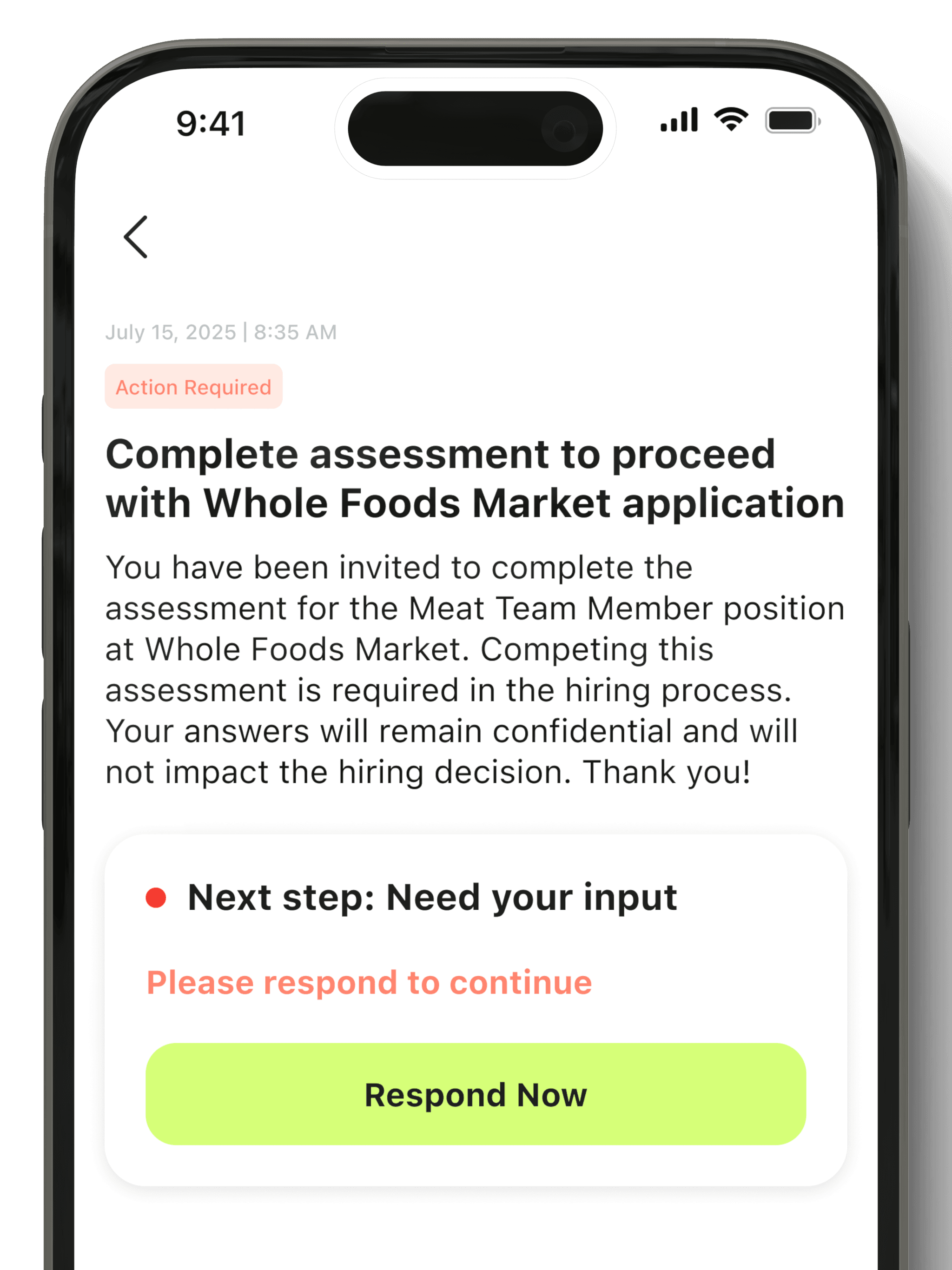
When a step requires human involvement (interviews, assessments, verification), automation stops.

When a step requires human involvement (interviews, assessments, verification), automation stops.

How it appears in the UI

The interface clearly signals the transition from AI assistance to human interaction, maintaining a consistent mental model.

The interface clearly signals the transition from AI assistance to human interaction, maintaining a consistent mental model.

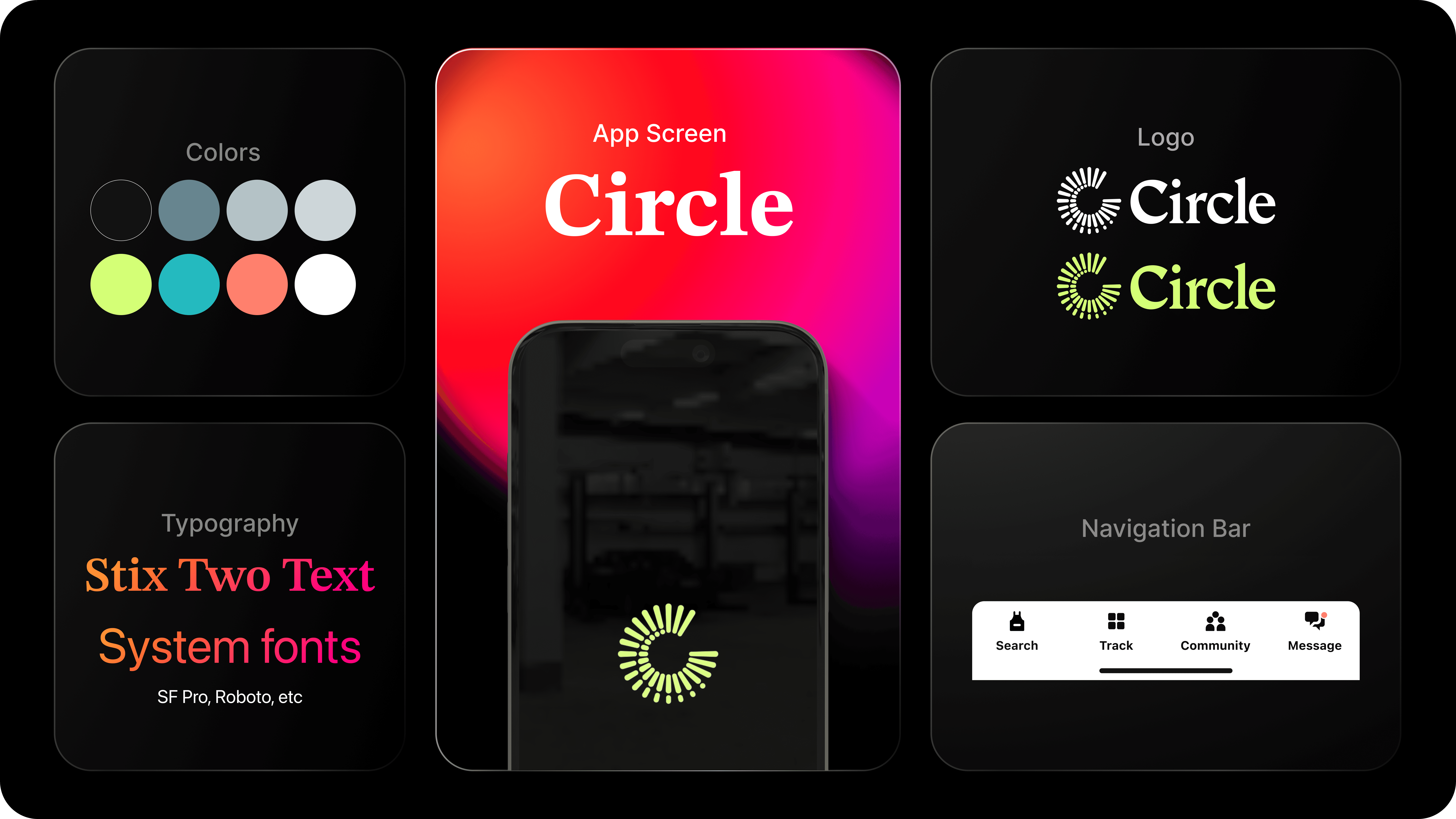
The visual design is intentionally calm and restrained.
Hierarchy, spacing, and motion are used to reduce cognitive load and reinforce trust — ensuring AI feels assistive, predictable, and human.

The visual design is intentionally calm and restrained.
Hierarchy, spacing, and motion are used to reduce cognitive load and reinforce trust — ensuring AI feels assistive, predictable, and human.

Visual Design System & Final Product Experience

Visual Design System & Final Product Experience

We redesigned both the interaction and the visual language to support fast, confident decision-making.
Job Discovery & Card Redesign

Designing the first job discovery screen was one of the hardest parts of the product.
This screen had to balance speed, clarity, trust, and intent — and it took multiple rounds of iteration with our team and pilot users (a mix of recruiters and frontline job seekers) to get it right.

Below is how the experience evolved from concept to final product.

Version 1 — “Job Board Mode”
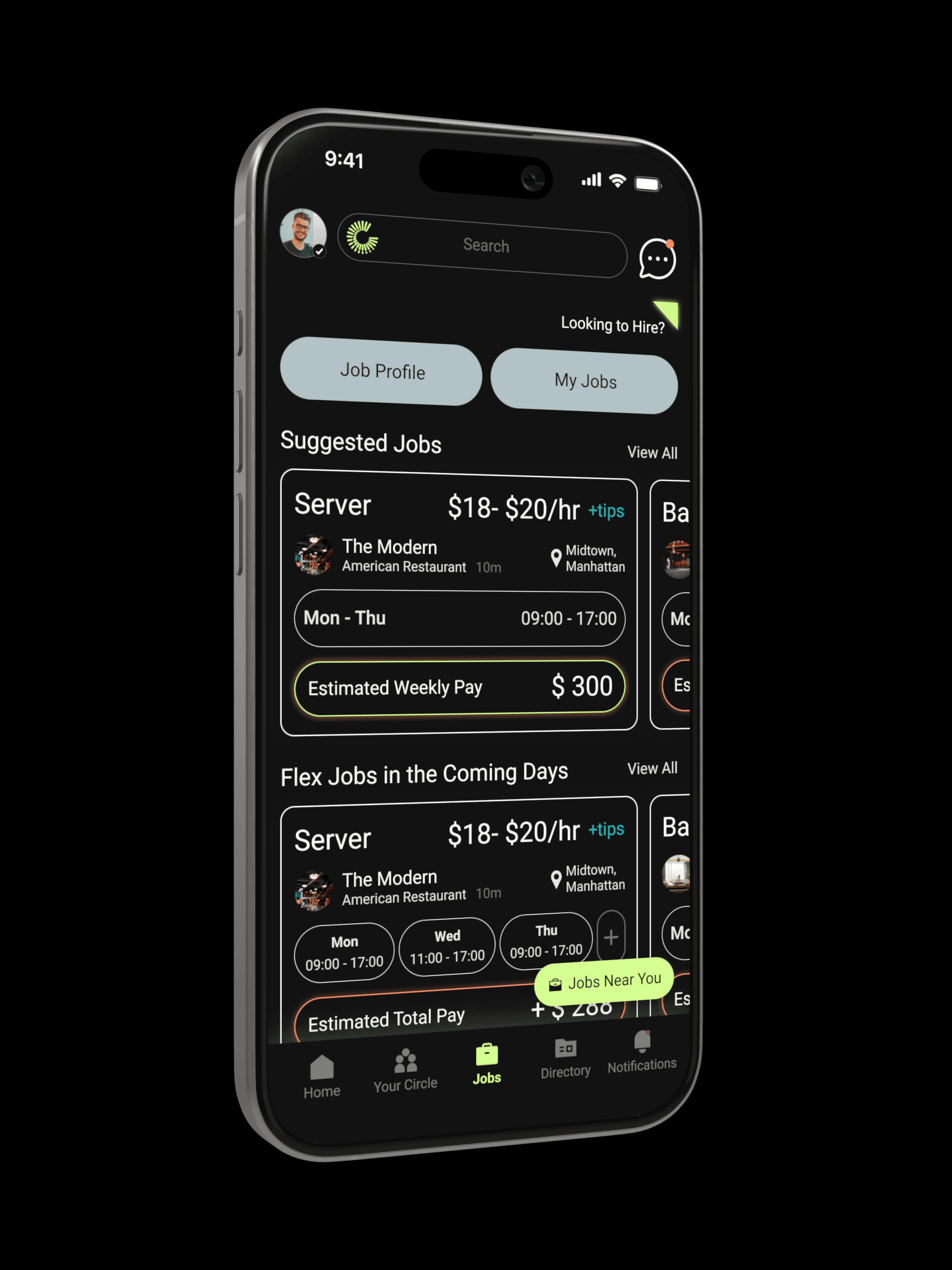
What we tried

Jobs were a separate feature inside the app, visually differentiated with a dark theme while the rest of the app remained light. The layout followed a traditional list-style job board.

Jobs were a separate feature inside the app, visually differentiated with a dark theme while the rest of the app remained light. The layout followed a traditional list-style job board.

What we learned

  • Felt like “just another job board”

  • Dark UI was perceived as heavy and tiring for daily use

  • Users found the list hard to scan and emotionally uninviting

  • Felt like “just another job board”

  • Dark UI was perceived as heavy and tiring for daily use

  • Users found the list hard to scan and emotionally uninviting

Why we moved on

The experience felt transactional, generic, and disconnected from the promise of One Click Apply.

The experience felt transactional, generic, and disconnected from the promise of One Click Apply.

Version 2 — “AI-Guided Feed”

What we tried

We moved jobs to the home screen and switched to a light UI.
The feed was personalized based on the user’s profile and highlighted “Why this is a good fit” using AI explanations.
Users had to open each card to understand why it was recommended.

We moved jobs to the home screen and switched to a light UI.
The feed was personalized based on the user’s profile and highlighted “Why this is a good fit” using AI explanations.
Users had to open each card to understand why it was recommended.

What we learned

  • Users didn’t want to read explanations

  • They wanted to act quickly from the feed itself

  • Opening every job broke the flow and slowed them down

  • Users didn’t want to read explanations

  • They wanted to act quickly from the feed itself

  • Opening every job broke the flow and slowed them down

Why we moved on

The intelligence was helpful — but the friction to access it was too high.

The intelligence was helpful — but the friction to access it was too high.

Final Version — “Intent-First Cards”

What we shipped

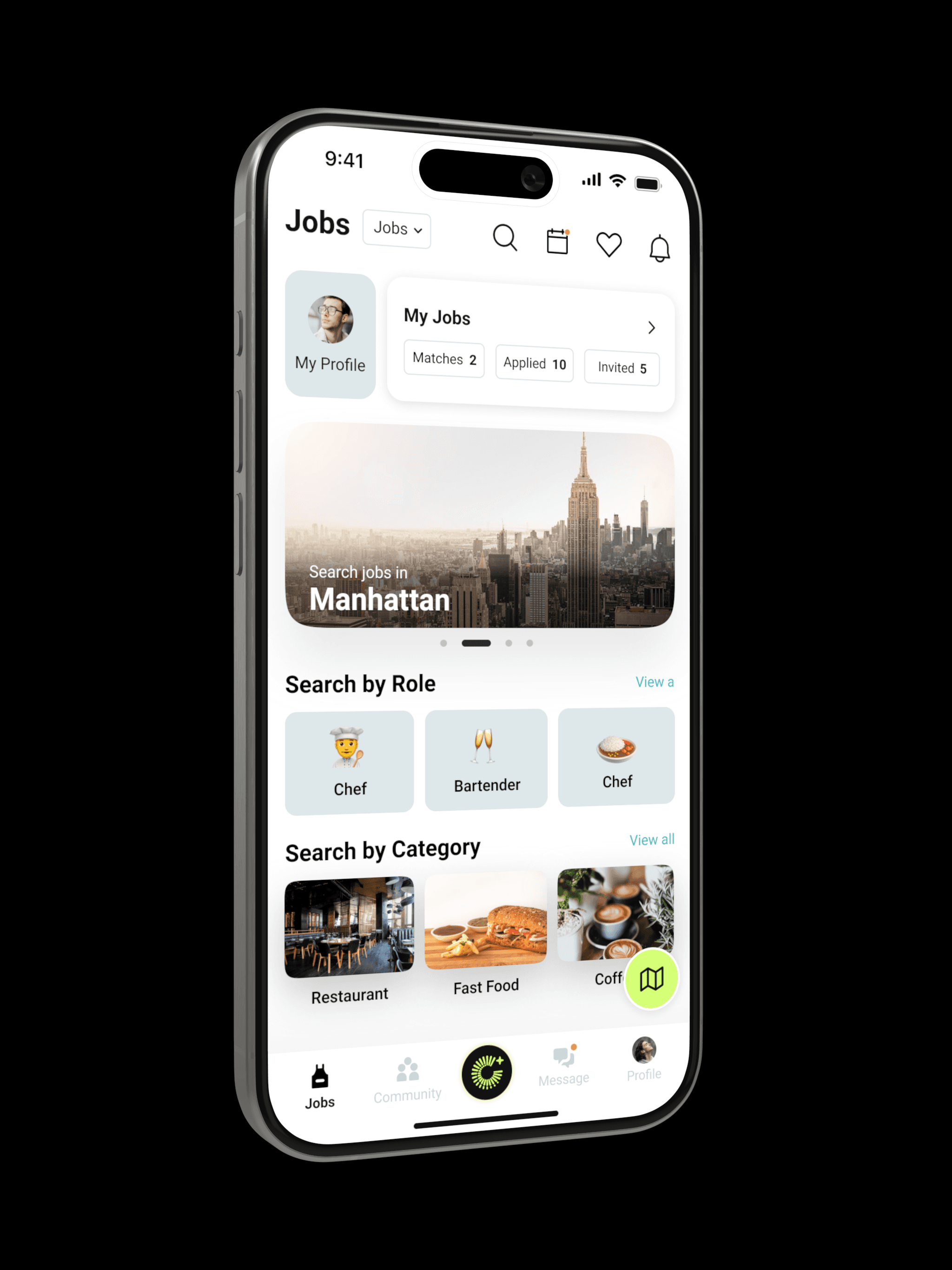
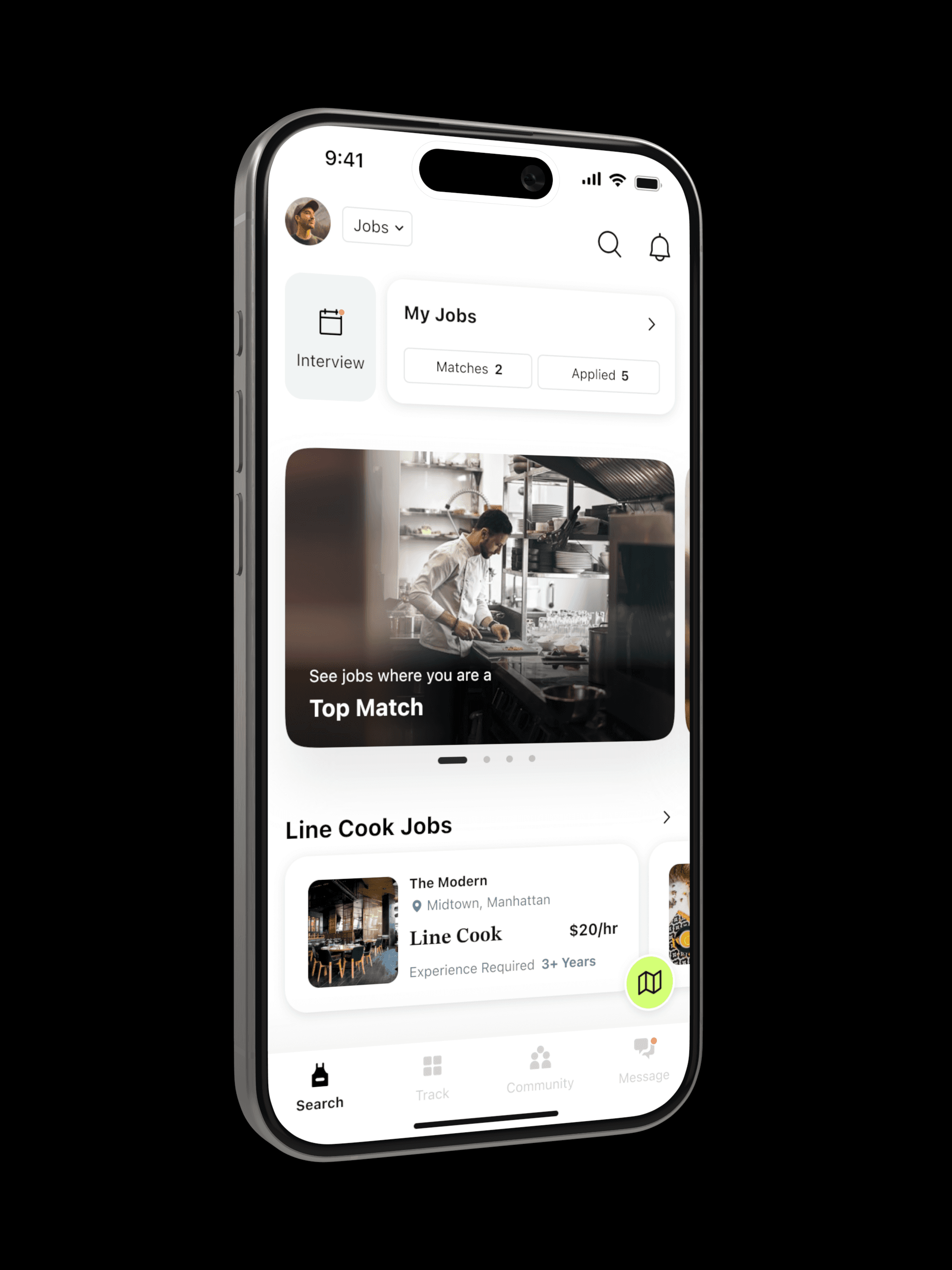
We simplified the experience to focus on only what matters in the first moment:

  • Suggested roles based on intent

  • Jobs that are strong matches

  • Quick access to applied & matched jobs

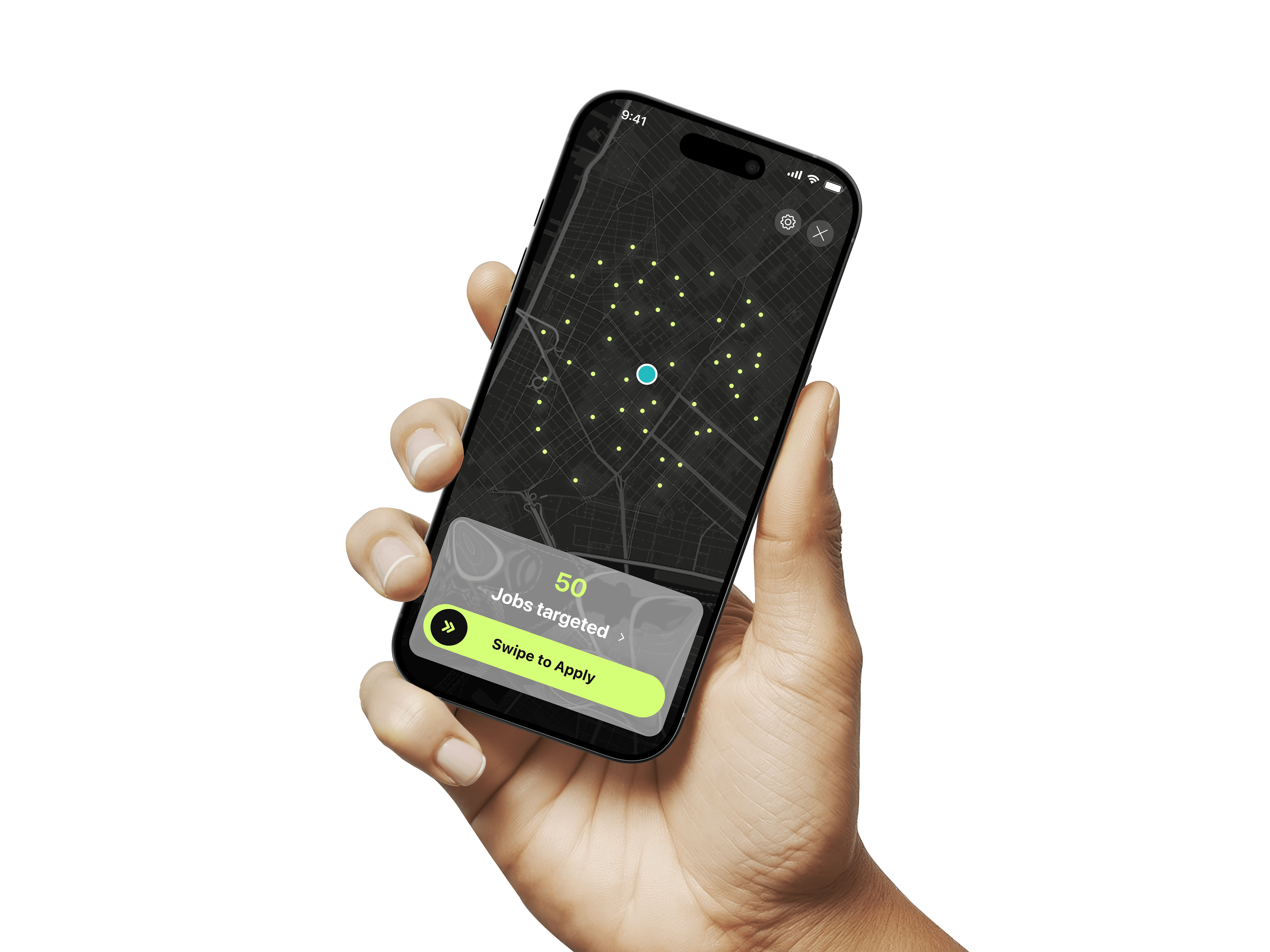
  • Swipe-to-apply directly from the card

All secondary details moved inside search and filters — keeping the home feed clean, fast, and focused.

We simplified the experience to focus on only what matters in the first moment:

  • Suggested roles based on intent

  • Jobs that are strong matches

  • Quick access to applied & matched jobs

  • Swipe-to-apply directly from the card

All secondary details moved inside search and filters — keeping the home feed clean, fast, and focused.

Why this works

  • No cognitive overload

  • No unnecessary reading

  • Clear next actions

  • One card, one decision, one swipe

This design finally aligned with our goal:

  • No cognitive overload

  • No unnecessary reading

  • Clear next actions

  • One card, one decision, one swipe

This design finally aligned with our goal:

Job Card Redesign — From Static Lists to Actionable Cards

While rethinking job discovery, we also redesigned the job card itself.
The card had to do one thing well: help users decide and act in seconds.

Version 1 — “Crowded List Card”
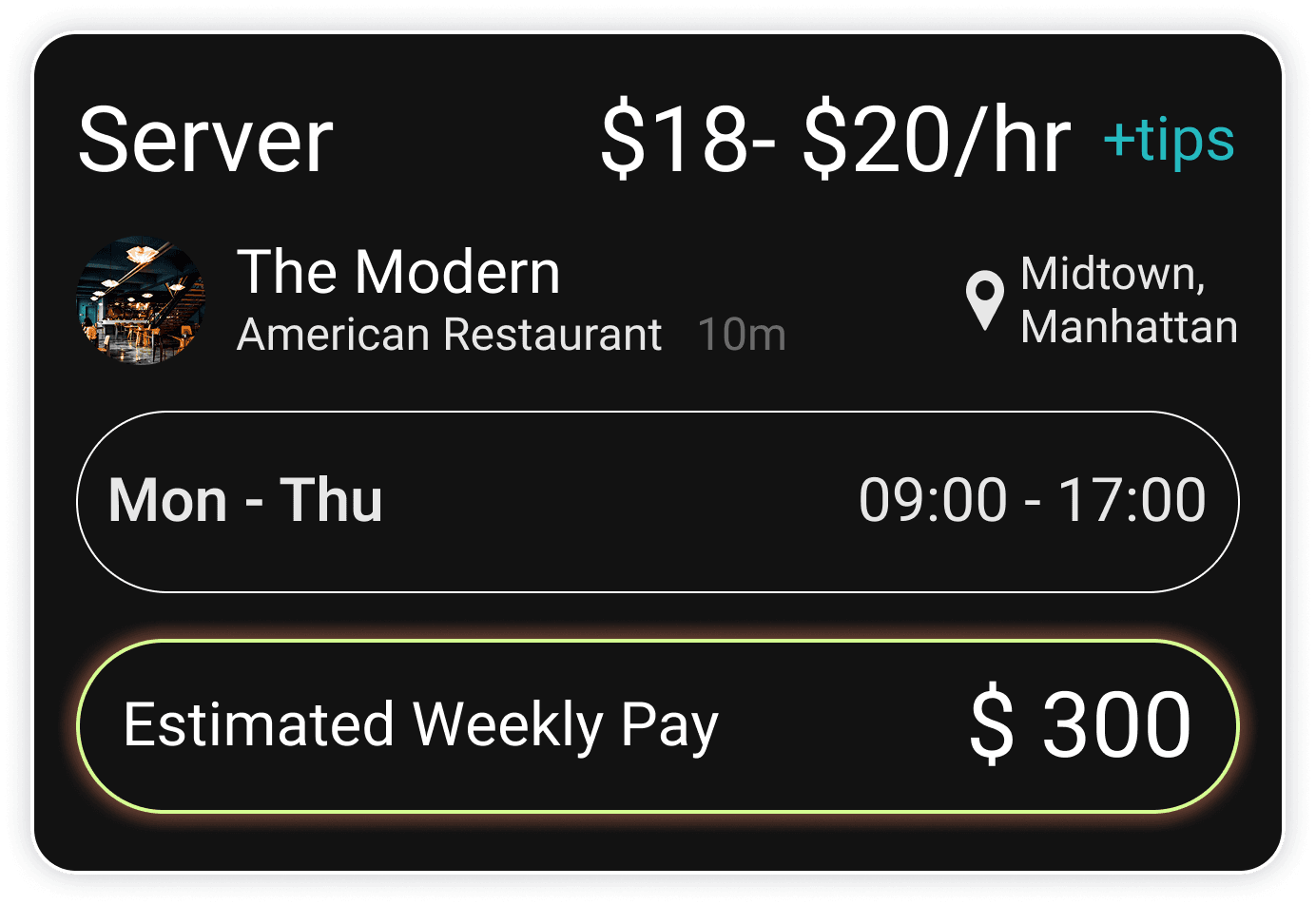
What it was

  • Small, dense cards

  • Dark background

  • Too many details at once

  • No visual hierarchy

  • Small, dense cards

  • Dark background

  • Too many details at once

  • No visual hierarchy

Why it failed

  • Hard to scan

  • No clear action

  • Felt like a legacy job board

Version 2 — “Full-Screen Insight Card”
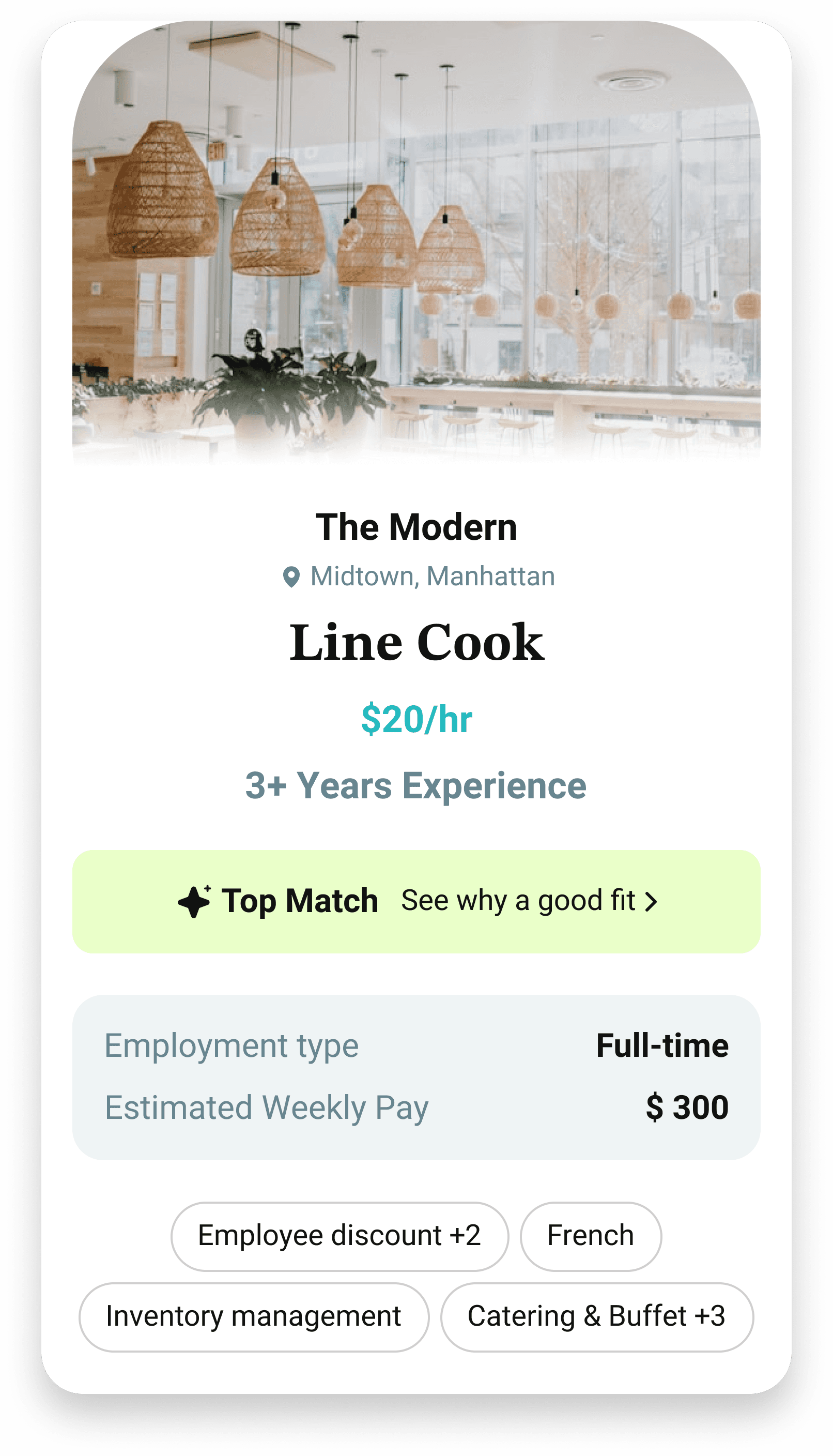
What we changed

  • One card per screen

  • Clear visual structure

  • Highlighted “Why this is a good fit”

  • Removed clutter

What we learned

  • Looked better

  • But required users to open and read before acting

  • Slowed down fast applicants

Final Version — “Swipe-to-Apply Card”
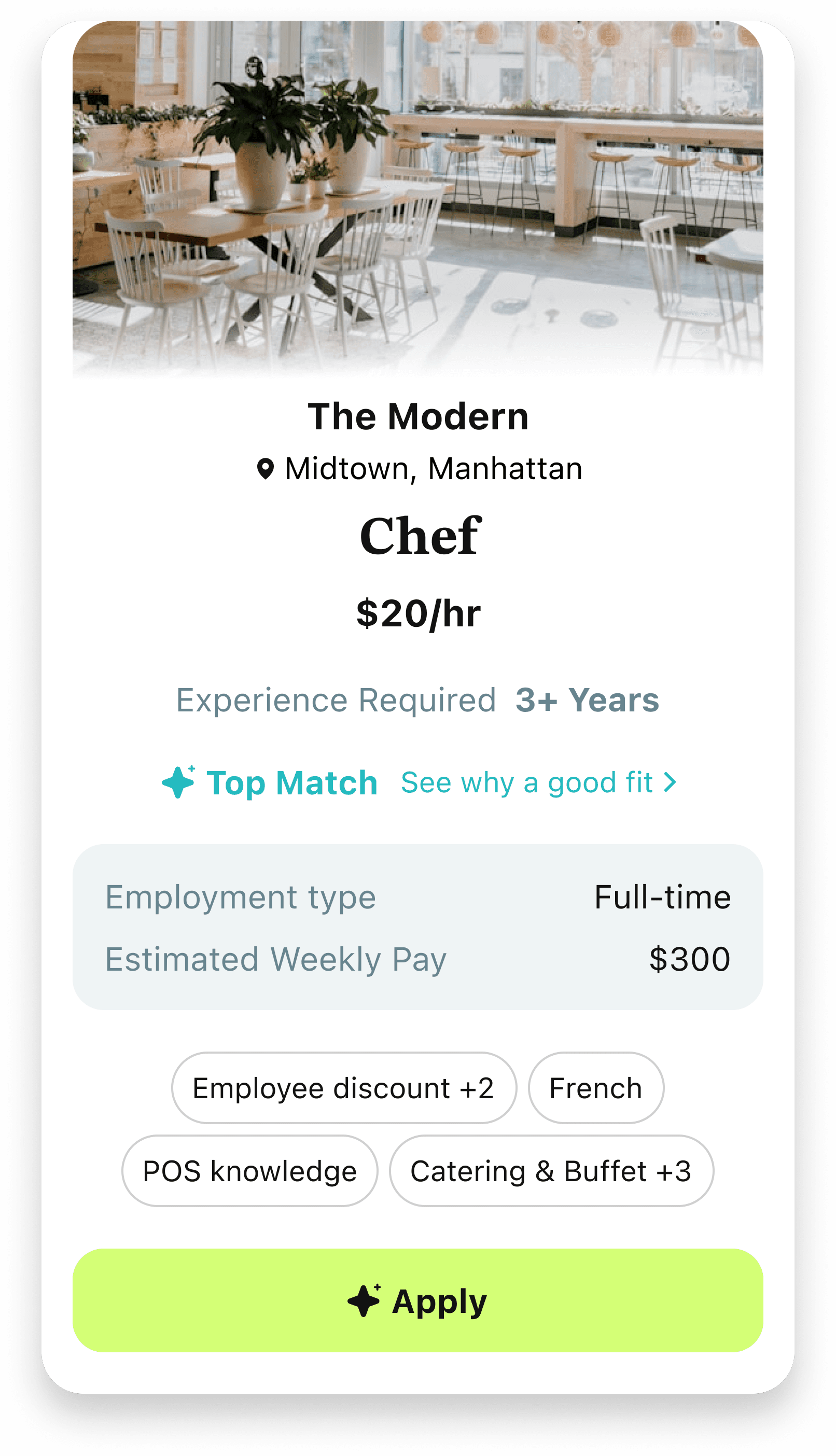
What we shipped

  • One card per screen

  • Clean, minimal layout

  • Primary info visible instantly

  • Swipe right to apply

  • Swipe left to skip

Why this works

  • No cognitive overload

  • No unnecessary reading

  • Clear next actions

  • One card, one decision, one swipe

This design finally aligned with our goal:

  • No cognitive overload

  • No unnecessary reading

  • Clear next actions

  • One card, one decision, one swipe

This design finally aligned with our goal:

Swipe to Apply

Inspired by Tinder and Bumble, we introduced a swipe-to-apply interaction to match users’ natural behavior.
Impact

Impact

Impact

Impact & Outcomes

Impact & Outcomes

View More

View More

Metallic shape background image

My Role & Scope

My Role & Scope

Product Lead

Product Lead

Product Lead

6 months

6 months

6 months

Circle Global

Circle Global

Circle Global

End-to-end experience design · interaction model · design system

End-to-end experience design · interaction model · design system

End-to-end experience design · interaction model · design system

Contact

Contact

Contact

Let's Get in Touch

Interested in collaborating or learning more? Feel free to reach out.