EXPLORATION · SELF-INITIATED CONCEPT
Turning “Sold Out” into guided travel decisions.
When availability conflicts occur, travel platforms often create dead ends. This concept introduces a system that helps travelers adapt their plans using availability signals and alternative options.

TYPE
Concept exploration
DOMAIN
Travel booking
FOCUS
AI decision support, interaction design
The context.
Travel inventory changes constantly. Hotels frequently sell out during peak demand periods.
When travelers encounter unavailable dates, most booking platforms respond with a simple message such as “Sold Out.”
At this point, users must restart their search or manually explore alternative dates.
This moment introduces unnecessary friction in one of the most critical steps of the booking journey.
The problem.
Dead-End States
Hidden Availability Signals
Manual Exploration
Industry Statistics.
of travelers adjust travel dates due to price or availability.
searches are typically required before a booking is completed.
of booking attempts fail due to inventory conflicts.
PROCESS
Competitive Analysis.

Shows price calendars and nearby available dates.
Limitations
Users must manually interpret the information.

Displays a simple Sold Out state.
Limitations
Creates a dead-end experience.

Allows date exploration via the calendar.
Limitations
Does not guide users toward better alternatives.
Key Insight
Proposed Feature.
A contextual system that activates when travel dates are unavailable.
Instead of displaying a simple Sold Out message, the assistant surfaces nearby availability signals and helps travelers adjust their plans without restarting their search.
The system introduces three layers of guidance.
Layer 1
Availability Recovery
Layer 2
Availability Intelligence
Layer 3
Best Travel Window
Concept Interfaces.
The Smart Availability Assistant activates when a traveler selects dates that are unavailable.
Instead of ending the journey with a sold-out message, the system evaluates nearby availability signals and helps the user adjust their plan without restarting the search
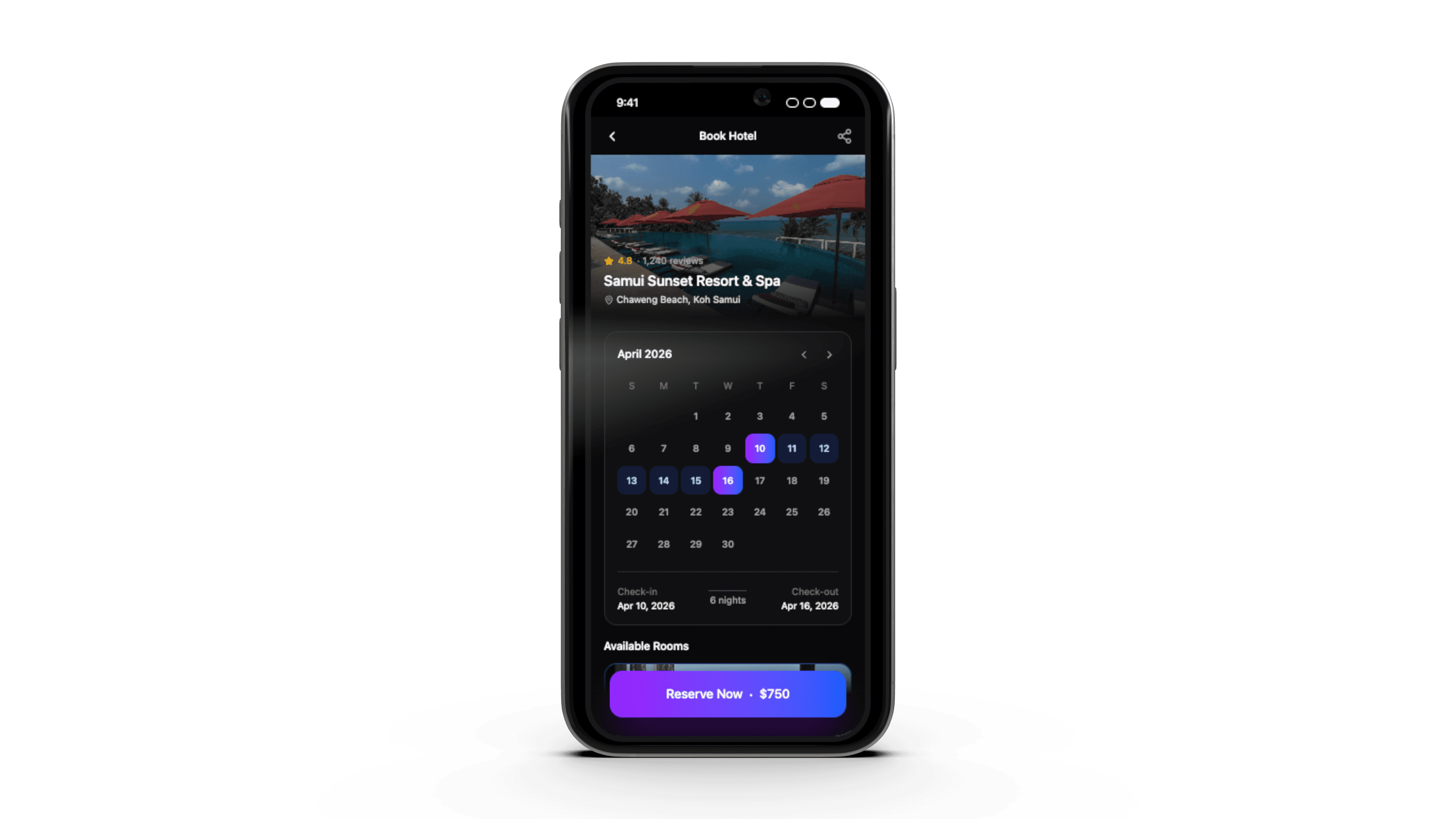
Hotel Selection
System behavior
How it appears in the UI
Availability Conflict
System behavior
How it appears in the UI
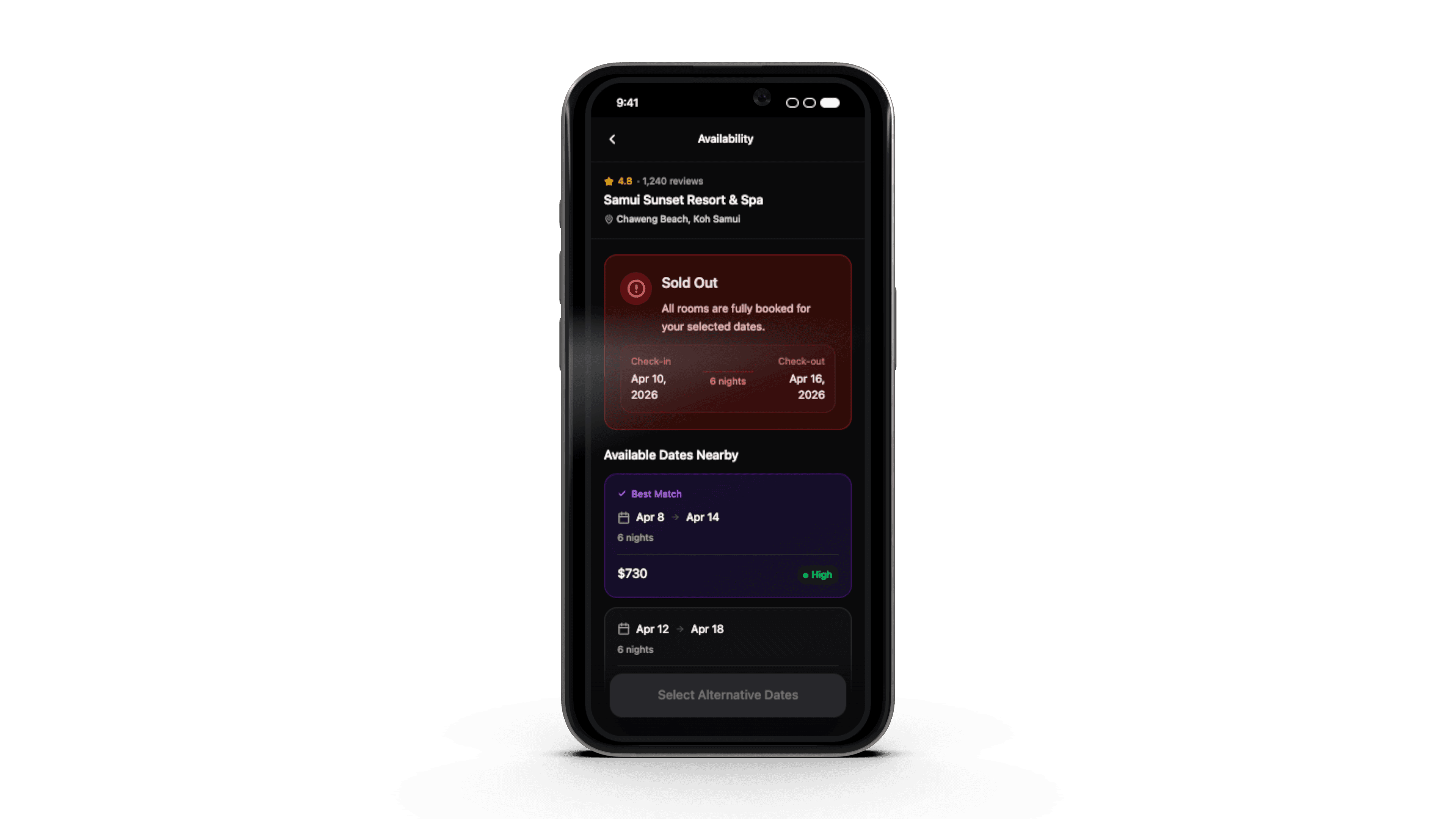
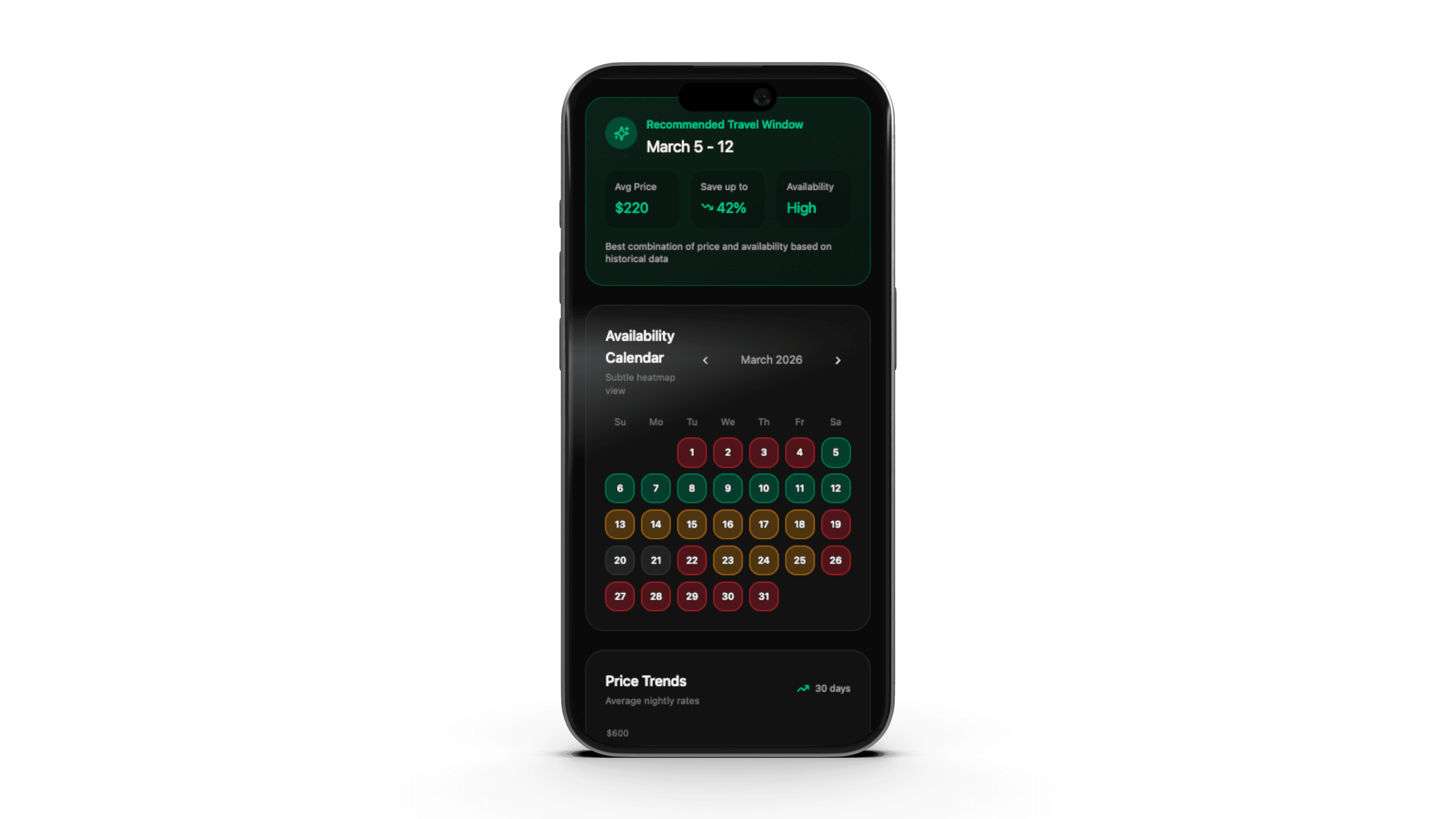
Availability Intelligence
System behavior
How it appears in the UI
Alternative Properties
System behavior
How it appears in the UI
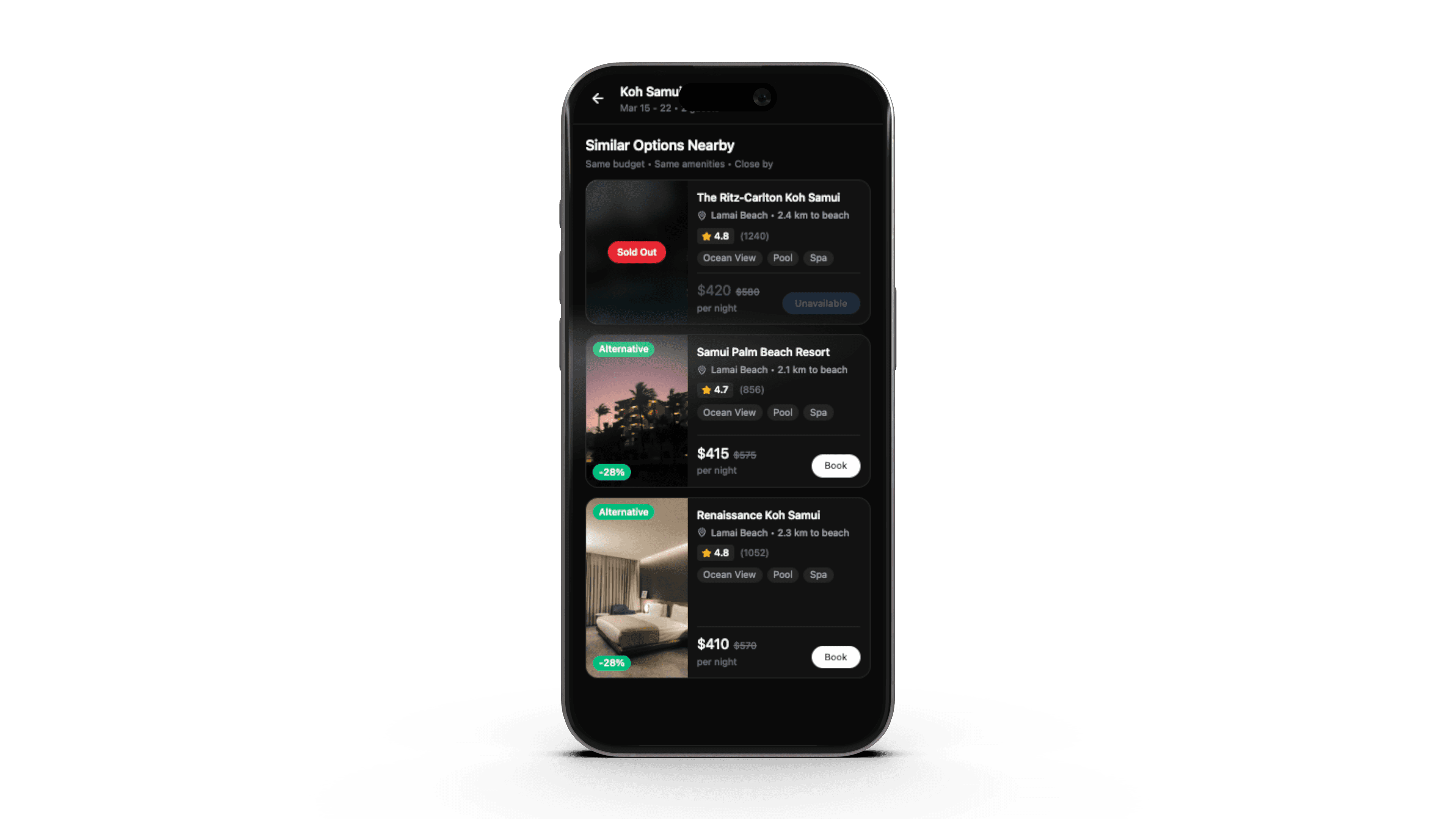
System Behavior.
The Smart Availability Assistant activates when the system detects an inventory conflict during the booking process.
Instead of stopping the journey, the system analyzes nearby availability, pricing signals, and similar listings to provide actionable alternatives within the same interface.
This allows travelers to adapt their plans while preserving the context of their original search.
Technical Considerations.
This feature leverages signals already available within travel platforms.
Required inputs include:
• real-time inventory availability
• pricing trends
• nearby property recommendations
• user search preferences
The assistant acts as a lightweight orchestration layer rather than a completely new system.
Key Tradeoffs.
Guidance vs control
Automation vs transparency
Signal density vs clarity
IMPACT
Business Impact.
Reducing availability dead ends improves:
• booking continuation rate
• inventory utilization
• traveler confidence
• overall platform conversion
By turning availability conflicts into guided decisions, platforms can keep travelers moving toward successful bookings.
View More.



CONTACT
Let’s Get in Touch
Interested in collaborating or learning more? Feel free to reach out.
Tell me what you’re working on
I reply within one working day. Want to see the standard first? Send me two pages and I’ll redesign them in 48 hours, free.