Problem
Applying to multiple jobs is mentally exhausting. Users are forced to re-enter the same information, make repeated decisions, and stay attentive across long, form-heavy flows. Over time, this creates cognitive fatigue, frustration, and drop-off — especially for frontline workers with limited time and digital patience.
Workers didn’t need another form. They needed a system that could understand their intent, reduce cognitive effort, and handle repetition on their behalf.
Goal
Design an AI-driven application flow that dramatically reduces effort without removing user agency — allowing people to apply to many jobs quickly while still understanding what the system is doing and staying in control.
Research & Competitive Benchmark
To understand where job application experiences break down, we conducted user interviews, flow reviews, and competitive analysis across major hiring platforms. The goal was to identify patterns of repetition, decision fatigue, and how existing systems handle (or fail to handle) user intent and automation.
Rather than focusing on visual design, we analyzed behavioral patterns, decision points, and system responses — specifically how users are forced to repeat actions and how little context is carried forward between applications.
User Research – Key Behavioral Patterns
Through interviews and observation, three dominant behavior patterns emerged:
Key Insight
Across all patterns, users wanted help — not replacement.
They wanted AI to reduce repetition and effort, while staying visible, predictable, and controllable.
This directly shaped the interaction model toward assistive, human-in-the-loop automation rather than full replacement.
Competitive Benchmark – Hiring Platforms
We reviewed application flows across platforms including Indeed, LinkedIn Jobs, ZipRecruiter, Workstream, Paradox.ai, AllyO, Workday, and McHire to understand how repetition, decision-making, and automation are handled.
Across all platforms, the same structural patterns emerged.

Repetition is systemic
Users re-enter the same information (name, experience, availability, certifications) for every job. Context is rarely reused.
Decision fatigue is unaddressed
Users answer the same screening questions and confirm the same preferences again and again.
No intent recognition
Platforms do not adapt when users apply to multiple jobs. Each application is treated as isolated.
Automation without visibility
Basic autofill exists, but users are not told why data is filled or what the system is doing.
Key Takeaway
Design an AI-driven flow that recognizes intent, removes repetition, and assists with decisions — while keeping users in control.
Discovery & Insights
Through user interviews, flow analysis, and drop-off data, we identified that the biggest friction in job applications wasn’t form length — it was repetition, decision fatigue, and uncertainty about what the system was doing on their behalf. Users were not struggling with understanding questions, but with having to answer the same ones again and again across different jobs.
1. Repetition creates cognitive fatigue
Users were forced to re-enter the same information across every application and make the same decisions repeatedly. Over time, this repetition created mental fatigue, frustration, and disengagement — even when users were highly motivated to apply.
2. Systems ignored clear user intent
We observed that users often had a clear intent — “I want to apply to many jobs quickly” — but the system forced them into slow, linear, form-heavy flows that ignored that intent.
3. Uncertainty reduced trust in automation
Users were uncomfortable when they didn’t understand what the system was doing on their behalf. The lack of visibility into automated actions and decisions made people hesitant to rely on the platform, even when it could save time.
Key Insight
The opportunity wasn’t to make forms shorter. It was to recognize intent, reduce cognitive effort, and let the system handle repetition — without removing user understanding, confidence, or control.
Exploring Interaction Models
We explored multiple ways users and AI could collaborate during the application process — from fully manual flows, to aggressive automation, to hybrid models. The core question was not “how fast can we make this?” but “where should AI act, and where should the user stay involved?”
Early concepts included:
Fully automated bulk apply — AI submits applications with minimal user input
Step-by-step assisted flows — AI supports each field individually
Hybrid models — AI handles repetition and preparation while users review and confirm
Through iteration and testing, it became clear that trust and control mattered more than raw speed. Users were willing to let AI help — as long as they could understand what it was doing and override it when needed.
This led us to a human-in-the-loop interaction model, where AI progressively takes on repetitive work while users retain visibility and final control.
Interaction Model – How AI Behaves
One Click Apply is built around a human–AI collaboration model where AI handles repetition and preparation, while users stay in control of decisions.
The system is designed to learn once, reuse always — reducing effort across applications without removing visibility or agency.
1. Profile Creation – Learn Once
Users create their profile once, either by resume parsing or manual entry.
This captures core information such as work history, skills, availability, and preferences.
In parallel, users complete a set of baseline questions (e.g. WOTC, character assessment, basic info) that are required across many employers.
From this point forward, the system treats this data as reusable context, not one-time input.
Why this matters:
Users should never have to prove who they are more than once.
2. Intent Recognition – Detecting Apply Behavior
When users start browsing and saving multiple jobs, the system interprets this as high application intent.
Rather than waiting for each application to begin, AI prepares relevant profile data in the background and stages known answers ahead of time
Why this matters:
AI responds to behavior, not just button clicks.
3. Progressive Automation – Handling Repetition
As users apply to roles, AI automatically fills:
profile information
previously answered baseline questions
repeated screening fields
If a question has already been answered once, the system never asks it again.
Why this matters:
Repetition is removed without users having to ask for it.
4. Contextual Questions – Ask Only When Necessary
If a job requires information that has not been captured before, the system surfaces that question only in that moment.
Once answered, it becomes part of the user’s reusable profile and is not asked again for future applications.
Why this matters:
The system learns over time instead of resetting every session.
5. Human-in-the-Loop Confirmation
Before any application is submitted, users can review, edit, or override the information.
Nothing is sent without explicit user confirmation.
Why this matters:
AI assists — but never acts without permission.
6. Graceful Escalation to Human Interaction
If an application requires human interaction (e.g. interview scheduling, assessments, verification), the system hands off cleanly without breaking the flow.
Automation stops where human involvement is required.
Why this matters:
The system respects real-world boundaries.
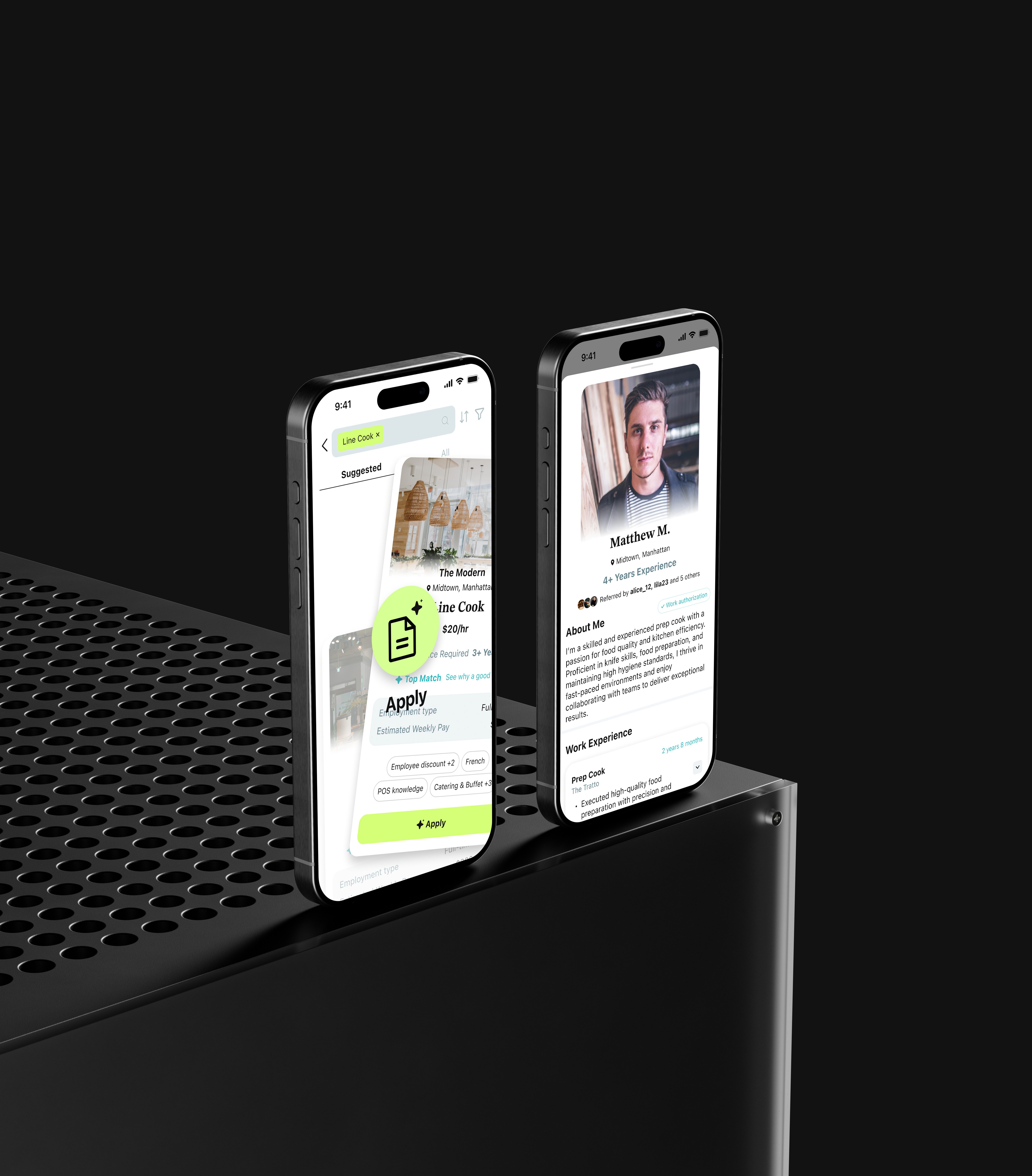
We intentionally avoided full automation.
While it was technically possible to auto-submit applications end-to-end, early testing showed that users wanted:
visibility into what was being sent
the ability to correct errors
and reassurance that they were still in control
Instead, we chose a model where AI handles preparation and repetition, while users retain clarity, review, and final approval.
This balances speed with confidence — enabling fast applications without sacrificing trust.
